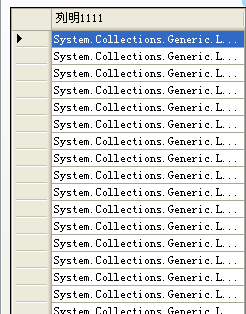
錯誤堆疊
Label2.Text = Session["UserID"].ToString(); // Session["UserID"] 為 null → NRE
Label2.Text = Application["count"].ToString(); // 同理
根因
- 應用程式池回收、Session 逾時、用戶首次訪問 → Session/Application 內鍵值為
null。
- 直接呼叫
.ToString() 拋出 NullReferenceException。
修正代碼 (防禦性檢查)
protected void Page_Load(object sender, EventArgs e) {
    if (Application["count"] != null)
        Label2.Text = "當前在線人數為 " + Application["count"].ToString() + "人";

    if (Session["UserID"] != null)
        Label2.Text = Session["UserID"].ToString(); // 注意:此行會覆蓋上一行,建議用不同 Label

    if (!IsPostBack) this.bind();
}
進階:安全擴充方法
public static class SessionExtensions {
    public static string GetString(this HttpSessionState session, string key, string defaultValue = "") {
        return session[key]?.ToString() ?? defaultValue;
    }
    public static int GetInt(this HttpSessionState session, string key, int defaultValue = 0) {
        return session[key] != null ? Convert.ToInt32(session[key]) : defaultValue;
    }
}

// 使用
Label2.Text = Session.GetString("UserID", "Guest");
int count = Application.GetInt("count");
GridView 編輯/更新其他潛在問題
GridView1.Rows[e.RowIndex].Cells[2].Controls[0] 假設為 TextBox,若模板不同會失敗 → 建議 FindControl("txtName")。- SQL 字串拼接存在 **SQL 注入風險**,必須使用參數化查詢:
cmd.Parameters.AddWithValue("@name", cname);
Button_send_Click 中 TextBox1.Text = " " 應為 string.Empty 或 ""。