C++ DLL 介面假設
// MyCppLib.h
#ifdef MYCPPLIB_EXPORTS
#define MYCPPLIB_API __declspec(dllexport)
#else
#define MYCPPLIB_API __declspec(dllimport)
#endif

// 簡化結構:僅包含 HBITMAP 與寬高
typedef struct {
    HBITMAP hBitmap;
    int     width;
    int     height;
} CBitmapWrapper;

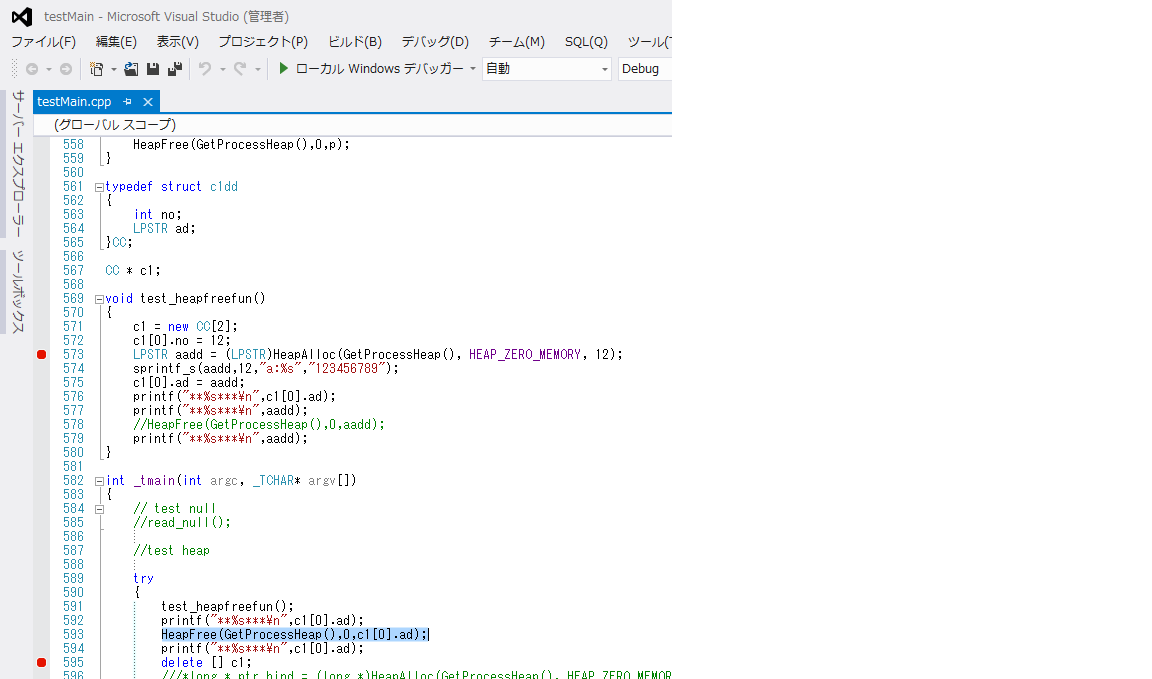
extern "C" MYCPPLIB_API CBitmapWrapper* UserGetBitmap(HWND hwnd, int w, int h);
extern "C" MYCPPLIB_API void FreeBitmapWrapper(CBitmapWrapper* p);
C# P/Invoke 簽名
[StructLayout(LayoutKind.Sequential)]
public struct CBitmapWrapper {
    public IntPtr hBitmap; // HBITMAP → IntPtr
    public int width;
    public int height;
}

public static class NativeMethods {
    [DllImport("MyCppLib.dll", CallingConvention = CallingConvention.Cdecl)]
    public static extern IntPtr UserGetBitmap(IntPtr hwnd, int w, int h); // 返回結構體指標

    [DllImport("MyCppLib.dll", CallingConvention = CallingConvention.Cdecl)]
    public static extern void FreeBitmapWrapper(IntPtr pWrapper);
}
核心轉換邏輯:HBITMAP → Bitmap → PictureBox
public Bitmap ConvertHBitmapToBitmap(IntPtr hBitmap, int width, int height) {
    // 1. 取得裝置上下文
    IntPtr hdcSrc = GetDC(IntPtr.Zero);
    IntPtr hdcDest = CreateCompatibleDC(hdcSrc);
    IntPtr hOld = SelectObject(hdcDest, hBitmap);

    // 2. 建立托管 Bitmap
    Bitmap bmp = new Bitmap(width, height, PixelFormat.Format32bppArgb);
    BitmapData bmpData = bmp.LockBits(new Rectangle(0, 0, width, height),
                                      ImageLockMode.WriteOnly, PixelFormat.Format32bppArgb);

    // 3. BitBlt 直接拷貝像素 (最快)
    BitBlt(hdcDest, 0, 0, width, height, hdcSrc, 0, 0, SRCCOPY);
    // 注意:上述僅示意,實際需用 GetDIBits 或手動拷貝至 bmpData.Scan0
    // 這裡用 GDI+ 簡化:
    using (Graphics g = Graphics.FromImage(bmp)) {
        g.DrawImage(Image.FromHbitmap(hBitmap), 0, 0, width, height);
    }

    // 4. 清理
    bmp.UnlockBits(bmpData);
    SelectObject(hdcDest, hOld);
    DeleteDC(hdcDest);
    ReleaseDC(IntPtr.Zero, hdcSrc);

    return bmp;
}

// P/Invoke 輔助
[DllImport("gdi32.dll")] static extern IntPtr CreateCompatibleDC(IntPtr hdc);
[DllImport("gdi32.dll")] static extern IntPtr SelectObject(IntPtr hdc, IntPtr hgdiobj);
[DllImport("gdi32.dll")] static extern bool BitBlt(IntPtr hdcDest, int x, int y, int w, int h, IntPtr hdcSrc, int sx, int sy, uint rop);
[DllImport("gdi32.dll")] static extern int GetDIBits(IntPtr hdc, IntPtr hbmp, uint start, uint lines, IntPtr bits, ref BITMAPINFO bmi, uint usage);
[DllImport("user32.dll")] static extern IntPtr GetDC(IntPtr hwnd);
[DllImport("user32.dll")] static extern int ReleaseDC(IntPtr hwnd, IntPtr hdc);
[DllImport("gdi32.dll")] static extern bool DeleteDC(IntPtr hdc);
const uint SRCCOPY = 0x00CC0020;
完整呼叫流程
private void btnGetImage_Click(object sender, EventArgs e) {
    IntPtr pWrapper = NativeMethods.UserGetBitmap(this.Handle, 640, 480);
    if (pWrapper == IntPtr.Zero) return;

    var wrapper = Marshal.PtrToStructure(pWrapper);
    using (Bitmap bmp = ConvertHBitmapToBitmap(wrapper.hBitmap, wrapper.width, wrapper.height)) {
        pictureBox1.Image?.Dispose();
        pictureBox1.Image = bmp;
    }
    NativeMethods.FreeBitmapWrapper(pWrapper); // 釋放 C++ 端資源
}
關鍵注意點
- 記憶體邊界:C++ 端
new CBitmapWrapper,C# 端 FreeBitmapWrapper 對應釋放,避免洩漏。
- 位圖格式:確認 C++ 端
HBITMAP 為 32bpp ARGB,否則 GetDIBits 需正確填寫 BITMAPINFOHEADER。
- 執行緒安全:UI 執行緒呼叫,若 C++ 耗時長需
Task.Run 異步並 Invoke 回 UI。