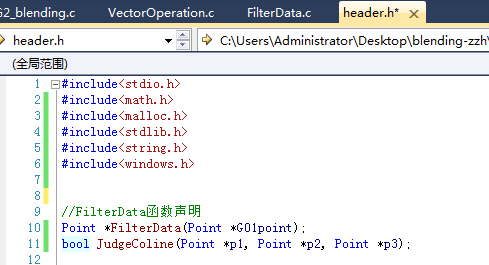
使用 OpenCV C 接口(IplImage、cvSet2D)實現鼠標繪圖時,若不檢查座標範圍,滑鼠移動到圖像邊緣外會導致數組越界,程序崩潰或行為異常。
void onMouseCallback(int event, int x, int y, int flags, void* param) {
    IplImage* img = (IplImage*)param;
    // ... 事件處理 ...
    if (LFlag) {
        cvSet2D(img, point.y, point.x, CV_RGB(255,0,0)); // 無邊界檢查
    }
}
當 x >= img->width 或 y >= img->height 時,cvSet2D 訪問非法內存。
if (LFlag) {
    if (point.x >= 0 && point.x < img->width &&
        point.y >= 0 && point.y < img->height) {
        cvSet2D(img, point.y, point.x, CV_RGB(255,0,0));
    }
}
C 接口(IplImage、cvSet2D)已棄用,現代 OpenCV 推薦使用 C++ 接口:
#include
using namespace cv;

Mat img(500, 500, CV_8UC3, Scalar(255,255,255));
bool drawing = false;

void onMouse(int event, int x, int y, int, void*) {
    if (event == EVENT_LBUTTONDOWN) drawing = true;
    else if (event == EVENT_LBUTTONUP) drawing = false;
    else if (event == EVENT_MOUSEMOVE && drawing) {
        if (x >= 0 && x < img.cols && y >= 0 && y < img.rows)
            img.at(y, x) = Vec3b(0, 0, 255); // BGR
    }
}

int main() {
    namedWindow("Paint");
    setMouseCallback("Paint", onMouse);
    while (waitKey(1) != 27) imshow("Paint", img);
    return 0;
}
優點:Mat 自動管理內存,at() 含邊界檢查(Debug 模式),代碼更安全簡潔。