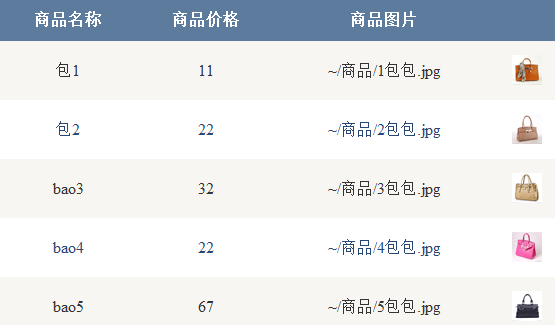
新版知乎 App 主頁呈現:下拉出現圓形進度條刷新、上拉滾動到底部自動加載更多。截圖顯示 Material Design 風格的圓形加載動畫。
SwipeRefreshLayoutAndroid 官方提供的下拉刷新容器,支援 Material 風格圓形進度條(API 21+ 自動為圓形,舊版為水平條)。
<androidx.swiperefreshlayout.widget.SwipeRefreshLayout
    android:id="@+id/swipeRefresh"
    android:layout_width="match_parent"
    android:layout_height="match_parent">

    <androidx.recyclerview.widget.RecyclerView
        android:id="@+id/recyclerView"
        android:layout_width="match_parent"
        android:layout_height="match_parent" />

</androidx.swiperefreshlayout.widget.SwipeRefreshLayout>SwipeRefreshLayout swipeRefresh = findViewById(R.id.swipeRefresh);
RecyclerView recyclerView = findViewById(R.id.recyclerView);
// 1. 下拉刷新監聽
swipeRefresh.setOnRefreshListener(() -> {
// 執行網絡請求刷新數據
fetchData(page = 1, isRefresh = true);
});
// 2. 設置進度條顏色(可選)
swipeRefresh.setColorSchemeResources(R.color.colorPrimary, R.color.colorAccent);
// 3. 滾動加載更多(RecyclerView 滾動監聽)
recyclerView.addOnScrollListener(new RecyclerView.OnScrollListener() {
@Override
public void onScrolled(@NonNull RecyclerView rv, int dx, int dy) {
super.onScrolled(rv, dx, dy);
LinearLayoutManager lm = (LinearLayoutManager) rv.getLayoutManager();
int total = lm.getItemCount();
int lastVisible = lm.findLastVisibleItemPosition();
if (!isLoading && lastVisible >= total - 2) { // 距底部 2 條觸發
isLoading = true;
fetchData(++page, isRefresh = false);
}
}
});
// 4. 網絡回調中關閉刷新狀態
private void onFetchResult(List- newData, boolean isRefresh) {
swipeRefresh.setRefreshing(false); // 關鍵:停止轉圈
isLoading = false;
if (isRefresh) adapter.setData(newData);
else adapter.addData(newData);
}
ScrollView/ViewPager,需設置 setNestedScrollingEnabled(true) 或使用 NestedScrollView。SwipeRefreshLayout 重寫 onCreateDrawable() 實現自定義動畫(如知乎的「下拉顯示 Logo」效果)。ItemTouchHelper 或 PagerSnapHelper 優化體驗。CSDN 博客詳細教程:Android SwipeRefreshLayout 完整指南
「下拉刷新」用官方 SwipeRefreshLayout 一行代碼接入;「滾動加載」靠 RecyclerView.OnScrollListener 判斷滾動位置觸發分頁請求。兩者結合即可復刻知乎主頁交互體驗。