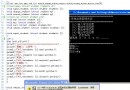
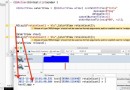
使用 JXL 庫讀取 Excel 檔案時,在 for 迴圈中呼叫 Workbook.getWorkbook(is) 後,程式流程異常中斷,後續迴圈不再執行。本文分析根因並提供修正版程式碼。
public void demo() {
    try {
        fn = new FileInputStream(path);
        is = fn;
        rb = Workbook.getWorkbook(is);  // 這行執行後,迴圈似乎不再繼續
        Sheet s = rb.getSheet(0);
        cs = s.getColumns();
        rs = s.getRows();
        r1 = new String[rs];
        r2 = new String[rs];
        for (int i = 0; i < rs; i++) {
            r1[i] = s.getCell(1, i).getContents();  // 可能拋出異常
        }
        for (int i = 0; i < rs; i++) {
            r2[i] = s.getCell(4, i).getContents();
        }
    } catch (Exception e) {
        System.out.println(e.toString());
    } finally { ... }
}
getCell(col, row) 參數順序為 列、行。程式中 s.getCell(1, i) 試圖讀取第 1 列、第 i 行,但迴圈邊界用的是 rs(總行數)。若 Excel 行數 > 列數,i 會超出列範圍拋出 ArrayIndexOutOfBoundsException,被 catch 捕獲並印出,導致迴圈提前結束。catch (Exception e) 僅印出 toString(),未印堆疊追蹤,難以定位行號。finally 中關閉流若拋出異常,會掩蓋原始異常。public void demo() {
FileInputStream fn = null;
Workbook rb = null;
try {
fn = new FileInputStream(path);
rb = Workbook.getWorkbook(fn);
Sheet s = rb.getSheet(0);
int cols = s.getColumns();
int rows = s.getRows();
System.out.println("cols: " + cols + ", rows: " + rows);
// 正確:迴圈邊界用 cols(總列數),讀取第 1 行、第 4 行的所有列
String[] row1 = new String[cols];
String[] row4 = new String[cols];
for (int i = 0; i < cols; i++) {
row1[i] = s.getCell(i, 0).getContents(); // 第 0 行(第 1 列)
row4[i] = s.getCell(i, 3).getContents(); // 第 3 行(第 4 列)
}
System.out.println("第 1 行所有資料: " + Arrays.toString(row1));
System.out.println("第 4 行所有資料: " + Arrays.toString(row4));
} catch (Exception e) {
e.printStackTrace(); // 印完整堆疊,定位行號
} finally {
try { if (fn != null) fn.close(); } catch (IOException ignored) {}
try { if (rb != null) rb.close(); } catch (Exception ignored) {}
}
}
| 錯誤寫法 | 正確寫法 | 說明 |
|---|---|---|
getCell(1, i) 且 i < rs | getCell(i, 0) 且 i < cs | 參數順序:列、行;讀整行時列索引變化,行固定 |
| 兩個獨立迴圈 | 合併為單一迴圈 | 效率較高,邏輯更清晰 |
e.toString() | e.printStackTrace() | 保留堆疊追蹤,快速定位 |
SXSSFWorkbook(串流模式)記憶體效率遠優於 JXL。cell != null ? cell.getContents() : "" 防禦性檢查。修正索引邊界與異常處理後,迴圈即可正常遍歷所有欄位,讀取資料無誤。