在編寫 LinearLayout 嵌套 EditText 與 Button 時,IDE 報錯:#15: You must supply a layout_height attribute。乍看 XML 似乎已給所有視圖設置了 layout_height,為何仍報錯?
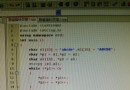
原始片段中,外層 LinearLayout 缺少閉合標籤 >,且部分子視圖屬性寫法不規範:
android:layout_weight 僅在 LinearLayout 子視圖中生效,但 Button 同時設定了 layout_width 與 layout_weight,易產生歧義;wrap_content 與 match_parent(舊版 fill_parent)混用,API 8+ 建議統一用 match_parent;EditText 缺少 android:hint 或 android:inputType 等常用屬性,雖不直接導致報錯,但屬於最佳實踐缺失。<LinearLayout
xmlns:android="https://schemas.android.com/apk/res/android"
xmlns:tools="https://schemas.android.com/tools"
android:id="@+id/LinearLayout2"
android:layout_width="match_parent"
android:layout_height="match_parent"
android:orientation="vertical"
tools:context="${packageName}.${activityClass}">
<EditText
android:id="@+id/TitleEditText"
android:layout_width="match_parent"
android:layout_height="wrap_content"
android:ems="10"
android:hint="@null" />
<EditText
android:id="@+id/ContentEditText"
android:layout_width="match_parent"
android:layout_height="0dp"
android:layout_weight="0.86"
android:ems="10"
android:hint="@null">
<requestFocus />
</EditText>
<LinearLayout
android:layout_width="match_parent"
android:layout_height="wrap_content"
android:orientation="horizontal">
<Button
android:id="@+id/AddButton"
android:layout_width="0dp"
android:layout_height="wrap_content"
android:layout_weight="1"
android:text="增加" />
<Button
android:id="@+id/SearchButton"
android:layout_width="0dp"
android:layout_height="wrap_content"
android:layout_weight="1"
android:text="查看" />
</LinearLayout>
</LinearLayout>
>,否則解析器會把後續屬性當作文本內容,導致屬性丟失;layout_weight 時,對應方向的尺寸設為 0dp(垂直用 height,水平用 width),避免「雙重指定」衝突;Button 同設 layout_width="0dp" + layout_weight="1",實現等寬分佈;match_parent 替代已棄用的 fill_parent。ConstraintLayout 替代嵌套 LinearLayout,減少層級與潛在錯誤。