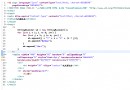
許多初學者誤以為 drawRect(float left, float top, float right, float bottom, Paint paint) 的前四個參數分別代表左上角與右下角座標,實則 right、bottom 是距離畫布左、上邊緣的距離,而非右下角座標。本文釐清參數含義,並講解多矩形繪製與文字置中技巧。
left:矩形左邊緣距畫布左邊緣距離(X 起始)。top:矩形上邊緣距畫布上邊緣距離(Y 起始)。right:矩形右邊緣距畫布左邊緣距離(X 結束)。bottom:矩形下邊緣距畫布上邊緣距離(Y 結束)。right - left,高度 = bottom - top。@Override
protected void onDraw(Canvas canvas) {
super.onDraw(canvas);
Paint paint = new Paint();
paint.setColor(Color.BLUE);
paint.setStyle(Paint.Style.STROKE);
paint.setStrokeWidth(4f);
// 矩形 1
canvas.drawRect(50, 50, 200, 200, paint);
// 矩形 2
canvas.drawRect(250, 100, 400, 300, paint);
// 更多矩形...
}
String text = "Hello";
Paint textPaint = new Paint();
textPaint.setColor(Color.BLACK);
textPaint.setTextSize(48f);
textPaint.setTextAlign(Paint.Align.CENTER); // 水平置中基準

Rect bounds = new Rect();
textPaint.getTextBounds(text, 0, text.length(), bounds);
// 計算基線 baseline 使垂直置中
float x = left + (right - left) / 2f;
float y = top + (bottom - top) / 2f + bounds.height() / 2f;
canvas.drawText(text, x, y, textPaint);
RectF 封裝矩形區域,便於複用與變換。Paint.getTextBounds() 或 Paint.measureText()。Picture / Bitmap)提升性能。搞清座標體系是自定義 View 的基石,配合 Canvas 的平移、縮放、旋轉,可構建極其豐富的 UI 效果。