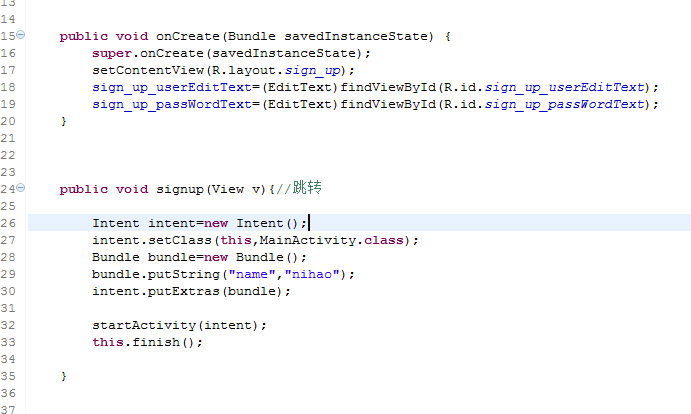
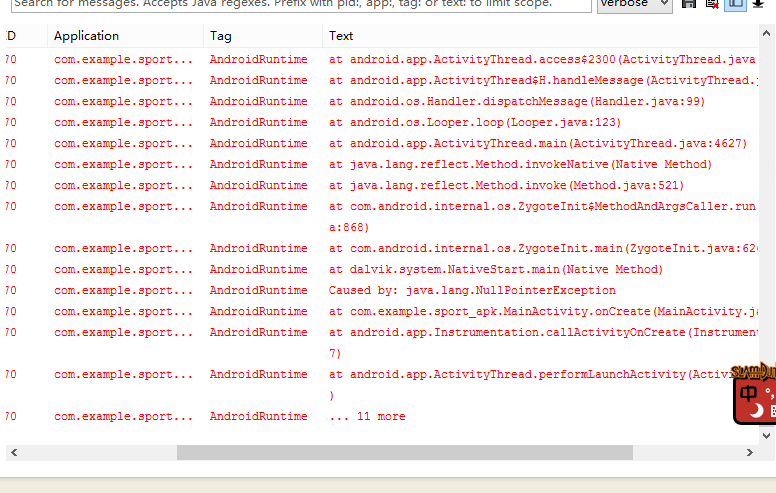
從 Activity A 跳轉到 Activity B 並攜帶數據,B 中調用 getIntent().getExtras() 後直接訪問 Bundle 內鍵值,導致 NullPointerException,App 崩潰。
// A 中 ❌ 忘記 putExtra
Intent intent = new Intent(A.this, B.class);
startActivity(intent);

// A 中 ✅ 正確
Intent intent = new Intent(A.this, B.class);
intent.putExtra("key", "value"); // 或 putExtras(bundle)
startActivity(intent);
// B 中 ❌ 直接訪問
Bundle bundle = getIntent().getExtras();
String val = bundle.getString("key"); // bundle 可能為 null

// B 中 ✅ 防空
Bundle bundle = getIntent().getExtras();
if (bundle != null) {
    String val = bundle.getString("key", "default");
} else {
    // 處理無數據情況:彈窗提示、finish()、跳轉回上一頁
}
若 B 設置了 android:launchMode="singleTop" 或 singleTask,再次啟動時走 onNewIntent(Intent),**需在該方法中更新 Intent 引用**:
@Override
protected void onNewIntent(Intent intent) {
    super.onNewIntent(intent);
    setIntent(intent); // 關鍵:更新 getIntent() 返回值
    // 這裡處理新數據
}
NullPointerException,雙擊定位到具體行號。Log.d("Intent", "Extras: " + getIntent().getExtras()); 觀察是否為 null。android:exported="false" 導致隱式啟動失敗。// 基類 Activity
protected Bundle getSafeExtras() {
Bundle b = getIntent().getExtras();
return b != null ? b : new Bundle();
}
// 子類使用
String name = getSafeExtras().getString("name", "");
int age = getSafeExtras().getInt("age", -1);