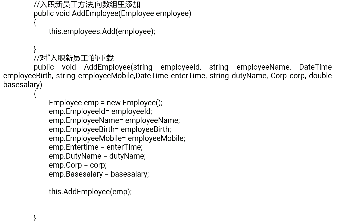
頁面動態生成微信號、二維碼,需對「展示」與「複製」行為分別上報友盟事件。本文剖析原始代碼中隨機選號、DOM 操作、時間戳拼接的邏輯,並給出基於事件代理的精準統計方案。
// 1. 隨機選取微信號
var arr_wx = ['76999','72999','73999','75999'];
var wx_index = Math.floor(Math.random() * arr_wx.length);
var stxlwx = arr_wx[wx_index];  // 當前顯示的微信號

// 2. 生成二維碼圖片 URL
var stxlewm = "ysj";
function ewmtp() {
    var xhtml = '<img src="qrcodes/' + stxlewm + '.jpg">';
    $(".ewm").html(xhtml);
}
$(function(){
    document.getElementById('qrcode').src = 'qrcodes/'+ stxlewm +'.jpg';
});

// 3. 頁面渲染微信號
document.write(stxlwx);<b id="weixin1" class="wx-account" data-wx="<%= stxlwx %>"><%= stxlwx %></b>const observer = new IntersectionObserver((entries) => {
entries.forEach(entry => {
if (entry.isIntersecting) {
const wx = entry.target.dataset.wx;
// 友盟曝光事件
_czc.push(['_trackEvent', '微信號曝光', '展示', wx]);
observer.unobserve(entry.target); // 只上報一次
}
});
}, { threshold: 0.5 });
document.querySelectorAll('.wx-account').forEach(el => observer.observe(el));document.querySelectorAll('.wx-account').forEach(el => {
el.addEventListener('click', async () => {
const wx = el.dataset.wx;
try {
await navigator.clipboard.writeText(wx);
// 友盟複製事件
_czc.push(['_trackEvent', '微信號複製', '複製', wx]);
alert('已複製:' + wx);
} catch (err) {
// 降級方案
const textarea = document.createElement('textarea');
textarea.value = wx;
document.body.appendChild(textarea);
textarea.select();
document.execCommand('copy');
document.body.removeChild(textarea);
_czc.push(['_trackEvent', '微信號複製', '複製(降級)', wx]);
}
});
});| 需求 | 技術方案 | 核心API |
|---|---|---|
| 單次曝光上報 | IntersectionObserver + unobserve | IntersectionObserver API |
| 單次複製上報 | click 事件 + Clipboard API + 防抖 | navigator.clipboard.writeText |
| 區分不同微信號 | data-* 屬性綁定當前值 | dataset.wx |
| 避免重複上報 | 曝光後 unobserve;複製用 Set 記錄已上報 | Set/WeakSet |
_czc 對象(友盟異步加載)。['微信號', '曝光', '76999']。通過「數據屬性綁定當前值 + 瀏覽器原生觀察/剪貼板 API」,即可精準實現「所見即所報、所複製即所報」,徹底解決動態內容統計模糊問題。