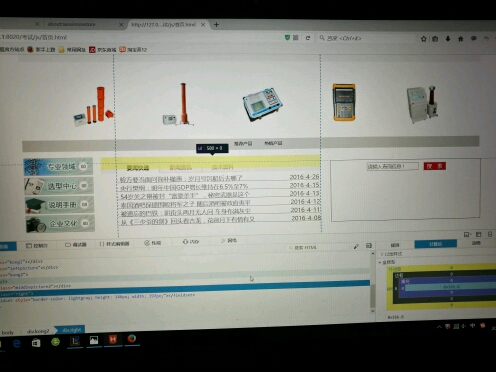
用戶提供截圖但描述不清,核心需求推測為:
.search-container {
    display: flex;
    align-items: flex-start; /* 交叉軸頂部對齊 */
    gap: 10px;
}

.search-btn {
    background: red;
    color: white;
    padding: 8px 16px;
    border: none;
    cursor: pointer;
    /* 不需要 margin-top: 0 等強制手段 */
}
.scroll-wrapper {
    overflow: hidden;
    width: 100%;
    border: 1px solid #ddd; /* 加邊框 */
}

.scroll-content {
    display: flex;
    animation: scroll 20s linear infinite;
    width: max-content;
}

@keyframes scroll {
    0% { transform: translateX(0); }
    100% { transform: translateX(-50%); } /* 需內容複製一份實現無縫 */
}

.scroll-content:hover {
    animation-play-state: paused; /* 懸停暫停 */
}
HTML 結構需將內容複製兩份:
<div class="scroll-wrapper">
    <div class="scroll-content">
        <div class="item">項目1</div>
        <div class="item">項目2</div>
        <!-- 複製一份實現無縫循環 -->
        <div class="item">項目1</div>
        <div class="item">項目2</div>
    </div>
</div>
<!-- 引入 Swiper -->
<link rel="stylesheet" href="swiper-bundle.min.css">
<script src="swiper-bundle.min.js"></script>

<div class="swiper mySwiper">
    <div class="swiper-wrapper">
        <div class="swiper-slide">項目1</div>
        <div class="swiper-slide">項目2</div>
    </div>
    <div class="swiper-pagination"></div>
    <div class="swiper-button-next"></div>
    <div class="swiper-button-prev"></div>
</div>

<script>
new Swiper('.mySwiper', {
    loop: true,
    autoplay: { delay: 3000, disableOnInteraction: false },
    pagination: { el: '.swiper-pagination', clickable: true },
    navigation: { nextEl: '.swiper-button-next', prevEl: '.swiper-button-prev' },
});
</script>
.content-area {
    border: 2px solid #333; /* 邊框 */
    border-radius: 8px;     /* 圓角 */
    padding: 16px;          /* 內邊距,防止內容貼邊 */
    box-sizing: border-box; /* 寬高包含邊框內邊距 */
    overflow: hidden;       /* 內容超出時裁剪或滾動 */
}
<div class="page-layout">
    <header class="search-bar">
        <input type="text" placeholder="搜索..." class="search-input">
        <button class="search-btn">搜索</button>
    </header>

    <main class="content-area">
        <div class="scroll-wrapper">
            <div class="scroll-content">
                <!-- 輪播項目 -->
            </div>
        </div>
    </main>
</div>

<style>
.page-layout { display: flex; flex-direction: column; height: 100vh; }
.search-bar { display: flex; gap: 10px; padding: 10px; align-items: center; }
.search-btn { background: #e74c3c; color: white; padding: 8px 20px; border: none; border-radius: 4px; }
.content-area { flex: 1; border: 1px solid #ddd; border-radius: 8px; margin: 10px; overflow: hidden; }
.scroll-wrapper { height: 100%; overflow: hidden; }
.scroll-content { display: flex; height: 100%; animation: scroll 15s linear infinite; }
@keyframes scroll { to { transform: translateX(-50%); } }
</style>
outline: 1px solid red 視覺化邊界* { margin: 0; padding: 0; })影響佈局align-itemsborder + box-sizing: border-box + overflow 控制