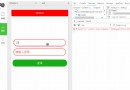
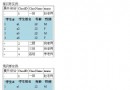
主頁面點擊「選擇」按鈕 → 開啟模態對話框(或 `showModalDialog`) → 彈窗頁面顯示 GridView 資料(繫結 `List
public class Person
{
    public int Index { get; set; }
    public string Id { get; set; } = Guid.NewGuid().ToString("N");
    public string Name { get; set; }
    public int Age { get; set; }
    public string Gender { get; set; }
    public bool Selected { get; set; }
}public sealed class PersonRepository
{
private static readonly Lazy _instance = new Lazy(() => new PersonRepository());
public static PersonRepository Instance => _instance.Value;
private List _people = new List();
public List GetAll()
{
if (_people.Count == 0) Seed();
return _people;
}
private void Seed()
{
for (int i = 1; i <= 20; i++)
{
_people.Add(new Person
{
Index = i,
Name = $"測試人員 {i}",
Age = 25 + i,
Gender = i % 2 == 0 ? "男" : "女"
});
}
}
} <%@ Page Language="C#" AutoEventWireup="true" CodeBehind="SelectPerson.aspx.cs" Inherits="Demo.SelectPerson" %>
<!DOCTYPE html>
<html>
<head>
<meta charset="utf-8" />
<title>選擇人員</title>
<style>
body { font-family: sans-serif; padding: 10px; }
.gv { border-collapse: collapse; width: 100%; }
.gv th, .gv td { border: 1px solid #ddd; padding: 8px; text-align: center; }
.gv th { background: #5D7B9D; color: white; }
.gv tr:hover { background: #f5f5f5; }
</style>
</head>
<body>
<form id="form1" runat="server">
<asp:GridView ID="gvPersons" runat="server" AutoGenerateColumns="False" CssClass="gv"
DataKeyNames="Id" OnSelectedIndexChanged="gvPersons_SelectedIndexChanged">
<Columns>
<asp:CommandField ShowSelectButton="True" SelectText="選取" HeaderText="操作" />
<asp:BoundField DataField="Index" HeaderText="序號" />
<asp:BoundField DataField="Name" HeaderText="姓名" />
<asp:BoundField DataField="Age" HeaderText="年齡" />
<asp:BoundField DataField="Gender" HeaderText="性別" />
</Columns>
</asp:GridView>
</form>
</body>
</html>public partial class SelectPerson : System.Web.UI.Page
{
protected void Page_Load(object sender, EventArgs e)
{
if (!IsPostBack)
{
gvPersons.DataSource = PersonRepository.Instance.GetAll();
gvPersons.DataBind();
}
}
protected void gvPersons_SelectedIndexChanged(object sender, EventArgs e)
{
int rowIndex = gvPersons.SelectedIndex;
string personId = gvPersons.DataKeys[rowIndex].Value.ToString();
var person = PersonRepository.Instance.GetAll().FirstOrDefault(p => p.Id == personId);
if (person != null)
{
// 回傳值給父視窗並關閉
string script = $@"
window.returnValue = '{person.Name}'; // 或 JSON.stringify(person)
window.close();
";
ClientScript.RegisterStartupScript(this.GetType(), "returnVal", script, true);
}
}
}<%@ Page Language="C#" AutoEventWireup="true" CodeBehind="MainPage.aspx.cs" Inherits="Demo.MainPage" %>
<!DOCTYPE html>
<html>
<head>
<meta charset="utf-8" />
<title>主頁面</title>
</head>
<body>
<form id="form1" runat="server">
<div style="padding:20px;">
<label>選擇結果:</label>
<asp:TextBox ID="txtResult" runat="server" Width="200px" />
<input type="button" value="開啟選擇視窗" onclick="openSelector()" />
</div>
</form>
<script>
function openSelector() {
// showModalDialog 已被 Chrome/Firefox 棄用,建議改用 window.open + postMessage
// 此處保留舊寫法相容 IE/Edge Legacy
var result = window.showModalDialog('SelectPerson.aspx', '',
'dialogWidth:600px;dialogHeight:400px;center:yes;resizable:no;status:no');
if (result) {
document.getElementById('<%= txtResult.ClientID %>').value = result;
}
}
</script>
</body>
</html>// 主頁面
function openSelectorModern() {
var popup = window.open('SelectPerson.aspx', 'selector', 'width=600,height=400');
window.addEventListener('message', function (e) {
if (e.origin !== location.origin) return; // 安全檢查
if (e.data.type === 'personSelected') {
document.getElementById('<%= txtResult.ClientID %>').value = e.data.payload.name;
popup.close();
}
});
}
// 彈窗頁面 SelectPerson.aspx.cs 修改 SelectedIndexChanged
string script = $@"
window.opener.postMessage({{ type: 'personSelected', payload: {{ name: '{person.Name}' }} }}, '*');
window.close();
";
ClientScript.RegisterStartupScript(this.GetType(), "returnVal", script, true);| 技術點 | 說明 |
|---|---|
| GridView 繫結 List | DataSource = List<T> + DataBind(),需設定 DataKeyNames 取得主鍵 |
| CommandField 選取 | ShowSelectButton="True" 產生「選取」連結,觸發 SelectedIndexChanged |
| DataKeys 取值 | gv.DataKeys[rowIndex].Value 取得主鍵,避免隱藏欄位 |
| showModalDialog 回傳 | window.returnValue + window.close(),僅 IE/Edge Legacy 支援 |
| postMessage 回傳 | 現代標準,跨域可控、支援複雜物件、所有現代瀏覽器 |
| Singleton Repository | 示範用,實務請用 DB / Service / Cache |
postMessage 並移除 `showModalDialog` 相依。