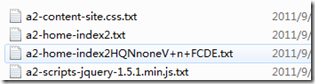
透過讀取 HTML 模板檔案,以字串取代方式插入動態內容,寫入 `.html` 靜態檔案,並回傳超連結供使用者點擊。適用於公告發布、文章封存、報表匯出等「寫一次、讀多次」場景,大幅降低資料庫查詢壓力。
1. HTML 模板檔
模板網頁
$htmlformat[1]
$htmlformat[4]
|
2. 後端產生靜態頁
protected void btnGenerate_Click(object sender, EventArgs e)
{
    // 1. 讀取模板
    string templatePath = Server.MapPath("~/html/Template.html");
    string template = File.ReadAllText(templatePath, Encoding.GetEncoding("GB2312"));

    // 2. 準備替換資料
    var tokens = new Dictionary
    {
        ["$htmlformat[0]"] = "background=\"bg.jpg\"",
        ["$htmlformat[1]"] = txtTitle.Text.Trim(),
        ["$htmlformat[2]"] = "#990099",
        ["$htmlformat[3]"] = "60px",
        ["$htmlformat[4]"] = txtContent.Text
    };

    // 3. 執行替換
    foreach (var kv in tokens)
        template = template.Replace(kv.Key, kv.Value);

    // 4. 寫入靜態檔 (檔名以標題 + 時間戳避免重複)
    string fileName = $"{txtTitle.Text}_{DateTime.Now:yyyyMMddHHmmss}.html";
    string savePath = Server.MapPath($"~/html/{fileName}");

    File.WriteAllText(savePath, template, Encoding.GetEncoding("GB2312"));

    // 5. 輸出連結
    string url = $"html/{fileName}";
    ltlLink.Text = $"{txtTitle.Text} 已產生。";
}
3. 進階:使用 StringBuilder 與正則替換 (大量資料更高效)
// 讀取模板到 StringBuilder
var sb = new StringBuilder(File.ReadAllText(templatePath, Encoding.GetEncoding("GB2312")));

// 批次替換
foreach (var kv in tokens)
    sb.Replace(kv.Key, kv.Value);

// 寫入
File.WriteAllText(savePath, sb.ToString(), Encoding.GetEncoding("GB2312"));
4. 關鍵技術點與注意事項
| 項目 | 建議做法 |
|---|
| 編碼一致性 | 模板、讀取、寫入全程使用同一編碼 (GB2312/UTF-8),避免中文亂碼 |
| 檔名唯一性 | 加入時間戳、GUID 或流水號,防止覆蓋 |
| 目錄權限 | IIS 應用程式池身分需具備目標目錄「寫入」權限 |
| 模板維護 | 模板改動不需重新編譯,直接修改 .html 檔即可 |
| 大量產生效能 | 改用 StringBuilder、平行處理、或離線排程產生 |
| 安全性 | 使用者輸入內容需先 HTML Encode 或過濾腳本,防止靜態頁面 XSS |
5. 擴充:自動產生索引頁
// 產生完單頁後,更新索引頁 index.html
string indexPath = Server.MapPath("~/html/index.html");
string linkLine = $"
{txtTitle.Text} {DateTime.Now:yyyy-MM-dd}";
// 讀取現有索引,在 前插入
string indexHtml = File.ReadAllText(indexPath, Encoding.GetEncoding("GB2312"));
indexHtml = indexHtml.Replace("", linkLine + "\n");
File.WriteAllText(indexPath, indexHtml, Encoding.GetEncoding("GB2312"));
現代替代方案比較
| 方案 | 優點 | 缺點 | 適用場景 |
|---|
| 模板+靜態檔 (本文) | 極簡、無框架依賴、效能最高 | 功能固定、難支援動態互動 | 公告、文章、報表、郵件內容 |
| ASP.NET MVC Razor + 輸出快取 | 功能完整、支援版面繼承、部分快取 | 需框架、首次仍需執行 | 內容型網站、部落格 |
| 靜態網站產生器 | Markdown 寫作、版本控管、CI/CD 友善 | 學習曲線、建置流程 | 文件站、技術部落格 |
| CDN + 動態 API | 彈性高、即時資料 | 架構複雜、成本高 | 高流量、個性化內容 |