Session 基本機制
- 伺服器為每個用戶產生唯一 SessionId (24 字元隨機字串)。
- 用戶端透過 Cookie (預設) 或 URL (Cookieless) 攜帶 SessionId。
- 伺服器端依模式儲存 Session 資料。
Web.config 完整設定區段
<system.web>
  <sessionState
      mode="InProc | StateServer | SQLServer | Off"
      cookieless="true | false"
      timeout="20"
      stateConnectionString="tcpip=127.0.0.1:42424"
      sqlConnectionString="data source=127.0.0.1;Integrated Security=SSPI;"
      stateNetworkTimeout="10" />
</system.web>
三大模式深度比較
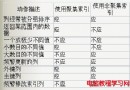
| 特性 | InProc (預設) | StateServer | SQLServer |
|---|
| 儲存位置 | IIS 背景工作進程 (w3wp.exe) | 獨立 ASP.NET State Service (aspnet_state.exe) | SQL Server 資料庫 (預設 tempdb) |
| IIS 重啟/回收 | Session 遺失 | 保留 | 保留 |
| Web Farm (多伺服器) | 不支援 (需 Sticky Session) | 支援 (共用 State Server) | 支援 (共用 SQL Server) |
| 效能 | 最高 (記憶體直接存取) | 中等 (跨進程 TCP 通訊) | 較低 (資料庫 I/O、序列化) |
| 資料持久性 | 無 | 服務重啟遺失 | 高 (資料庫備份/可用性群組) |
| 設定複雜度 | 零設定 | 啟動服務 + 防火牆開 42424 | 執行安裝腳本 + SQL Agent 作業 |
StateServer 模式部署步驟
- 服務管理器啟動 ASP.NET State Service (自動啟動)。
- 遠端部署:State Service 可跑在獨立機器,
stateConnectionString="tcpip=192.168.1.101:42424"。
- 防火牆開放 TCP 42424。
SQLServer 模式部署兩種方式
方式一:官方腳本 (建立 ASPState 資料庫)
%windir%\Microsoft.NET\Framework\v2.0.50727\InstallSqlState.sql
- 建立
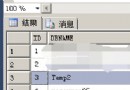
ASPState (僅預存程序) + tempdb 內建表 ASPStateTempSessions, ASPStateTempApplications。
- SQL Agent 作業
ASPState_Job_DeleteExpiredSessions 每分鐘清理過期 Session。
方式二:命令列工具自訂資料庫 (推薦生產)
aspnet_regsql.exe -S Server\Instance -U user -P pwd -d CustomSessionDB -ssadd -sstype c
- 在指定資料庫建立完整表 + SP + Agent 作業。
- Web.config:
mode="SQLServer" sqlConnectionString="data source=Server\Instance;Integrated Security=SSPI;"
- SQL 驗證:
User ID=sa;Password=xxx;
Cookieless 模式
cookieless="false" (預設):Cookie 儲存 SessionId。cookieless="true":URL 嵌入 SessionId (如 /(S(lit3py55t21z5v55vlm25s55))/page.aspx),支援禁用 Cookie 瀏覽器。
選型建議
- 單機、低併發、容許 Session 遺失 → InProc。
- Web Farm、不想裝 SQL、可容忍毫秒級延遲 → StateServer。
- 高可用性、Session 持久化、已有 SQL Server 叢集/AlwaysOn → SQLServer。
- 現代雲原生:優先考慮 **Redis Session State Provider** (Microsoft 官方 NuGet) 取代上述三種。