在 SSIS 資料遷移專案中,遇到髒資料導致插入失敗時,需記錄詳細錯誤資訊。因交易回滾會導致資料表記錄遺失,故採用寫入本地檔案方式保留錯誤日誌,確保異常可追蹤。
BEGIN TRY
    SELECT 3 / 0  -- 故意製造除零錯誤
END TRY
BEGIN CATCH
    DECLARE @errornumber INT, @errorseverity INT, @errorstate INT, @errormessage NVARCHAR(4000);
    SELECT
        @errornumber = ERROR_NUMBER(),
        @errorseverity = ERROR_SEVERITY(),
        @errorstate = ERROR_STATE(),
        @errormessage = ERROR_MESSAGE();

    -- 可選:重新拋出錯誤
    RAISERROR (@errormessage, @errorseverity, @errorstate, @errornumber);
END CATCH
利用 OLE Automation 物件 Scripting.FileSystemObject 實現檔案操作:
CREATE PROCEDURE [dbo].[UCreateOrAppendTextFile]
    @Filename VARCHAR(100),
    @Text NVARCHAR(4000)
AS
BEGIN
    DECLARE @FileSystem INT, @FileHandle INT, @RetCode INT, @RetVal INT, @CreateOrAppend INT;

    -- 建立 FileSystemObject
    EXECUTE @RetCode = sp_OACreate 'Scripting.FileSystemObject', @FileSystem OUTPUT;
    IF (@@ERROR | @RetCode > 0 OR @FileSystem < 0)
        RAISERROR ('could not create FileSystemObject', 16, 1);

    -- 檢查檔案是否存在
    EXECUTE @RetCode = sp_OAMethod @FileSystem, 'FileExists', @RetVal OUTPUT, @Filename;
    IF (@@ERROR | @RetCode > 0)
        RAISERROR ('could not check file existence', 16, 1);

    -- 存在則附加(8),不存在則建立(2)
    SET @CreateOrAppend = CASE @RetVal WHEN 1 THEN 8 ELSE 2 END;

    -- 開啟檔案
    EXECUTE @RetCode = sp_OAMethod @FileSystem, 'OpenTextFile', @FileHandle OUTPUT, @Filename, @CreateOrAppend, 1;
    IF (@@ERROR | @RetCode > 0 OR @FileHandle < 0)
        RAISERROR ('could not create File', 16, 1);

    -- 寫入內容
    EXECUTE @RetCode = sp_OAMethod @FileHandle, 'WriteLine', NULL, @Text;
    IF (@@ERROR | @RetCode > 0)
        RAISERROR ('could not write to File', 16, 1);

    -- 關閉並釋放資源
    EXECUTE @RetCode = sp_OAMethod @FileHandle, 'Close';
    IF (@@ERROR | @RetCode > 0)
        RAISERROR ('Could not close file', 16, 1);

    EXEC sp_OADestroy @FileHandle;
    EXEC sp_OADestroy @FileSystem;
END
若執行報錯「Ole Automation Procedures 未啟用」,請執行:
sp_configure 'show advanced options', 1; RECONFIGURE;
sp_configure 'Ole Automation Procedures', 1; RECONFIGURE;
CREATE PROCEDURE LOGError @msg NVARCHAR(400)
AS
BEGIN
    DECLARE @text NVARCHAR(400);
    SELECT @text = text FROM sys.messages WHERE language_id = 1033 AND message_id = @@ERROR;
    IF LEN(@text) > 1
    BEGIN
        SET @msg = @msg + ' : ' + @text;
        EXEC dbo.UCreateOrAppendTextFile 'C:\Error.log', @msg;
    END
END
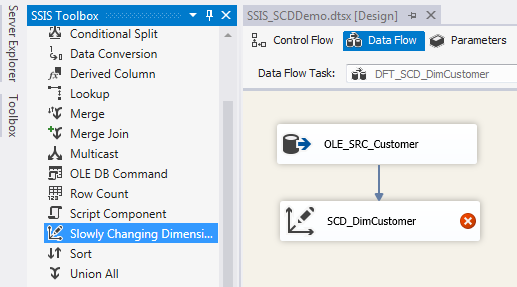
在 SSIS 封裝中,於資料流任務的錯誤輸出導向腳本元件,呼叫 LOGError 記錄具體錯誤訊息(如主鍵衝突、型別轉換失敗等),配合 MSDTC 分散式交易確保資料一致性。
sp_execute_external_script 配合 Python/R 寫入檔案此方案在 SQL Server 2005、2012、2016、2019 均測試通過,為無法使用資料表記錄錯誤的交易場景提供可靠替代方案。