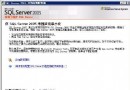
本文記錄 SQL Server 2008 從安裝、執行個體設定、混合驗證、TCP/IP 啟用、防火牆開放,到 Eclipse 專案引入 jTDS 驅動程式完成 JDBC 連線測試的完整流程,適合初學者快速建立開發環境。
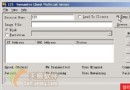
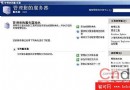
Setup.exe。MSSQLSERVER 預設或 SQLEXPRESS)。sa 密碼。NT AUTHORITY\SYSTEM 或網域帳號。(local)\INSTANCE_NAME 或 .\INSTANCE_NAME。sa,密碼為安裝時設定。sa 登入失敗:改用 Windows 驗證登入 → 安全性 → 登入 → sa → 狀態 → 啟用。IPAll 設為 1433(其他 IP 可留空)。netsh advfirewall firewall add rule name="SQL Server 1433" dir=in action=allow protocol=TCP localport=1433或圖形介面:Windows 防火牆 → 進階設定 → 輸入規則 → 新增規則 → 連接埠 → TCP 1433 → 允許連線。
CREATE DATABASE School;
GO
USE School;
GO
CREATE TABLE Students (
    StudentID int IDENTITY(1,1) PRIMARY KEY,
    Name nvarchar(50),
    Age int
);
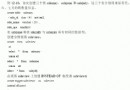
INSERT INTO Students (Name, Age) VALUES (N'王小明', 20), (N'李小華', 21);jtds-1.3.1.jar。import java.sql.*;
public class TestSQLServer {
public static void main(String[] args) {
String driver = "net.sourceforge.jtds.jdbc.Driver";
String url = "jdbc:jtds:sqlserver://127.0.0.1:1433;databaseName=School";
String user = "sa";
String pwd = "your_sa_password";
try {
Class.forName(driver);
System.out.println("驅動載入成功");
Connection conn = DriverManager.getConnection(url, user, pwd);
System.out.println("資料庫連線成功");
Statement stmt = conn.createStatement();
// 明確切換資料庫(避免預設 master 導致找不到表)
stmt.execute("USE School");
ResultSet rs = stmt.executeQuery("SELECT StudentID, Name, Age FROM Students");
while (rs.next()) {
System.out.printf("ID:%d Name:%s Age:%d%n",
rs.getInt("StudentID"), rs.getString("Name"), rs.getInt("Age"));
}
rs.close(); stmt.close(); conn.close();
} catch (Exception e) {
e.printStackTrace();
}
}
}| 現象 | 可能原因 | 解決方式 |
|---|---|---|
| 連線逾時 | TCP/IP 未啟用、防火牆阻擋、執行個體名稱錯誤 | 檢查組態管理器、防火牆、連線字串 |
| 登入失敗 | sa 未啟用、密碼錯誤、驗證模式非混合 | SSMS 啟用 sa、重設密碼、確認混合模式 |
| 找不到資料表 | 未執行 USE database、預設資料庫為 master | 連線後先 stmt.execute("USE School") |
| 驅動類別找不到 | jTDS jar 未加入 Build Path | 專案屬性 → Libraries → Add External JARs |