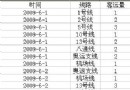
在傳統 Web Forms 時代,DataGrid 配合 T-SQL ROLLUP 是快速產出「分類小計 → 總計」報表的經典組合。本文完整演示從查詢撰寫、DataSet 後處理插入分類標題列,到前端繫結的端到端實作。
SELECT
    CASE WHEN GROUPING(CategoryName) = 1 THEN 'MainTotal' ELSE CategoryName END AS CategoryName,
    CASE WHEN GROUPING(ProductName) = 1 THEN 'SubTotal' ELSE ProductName END AS ProductName,
    SUM(UnitPrice) AS UnitPrice,
    SUM(UnitsInStock) AS UnitsInStock
FROM Products
INNER JOIN Categories ON Products.CategoryID = Categories.CategoryID
GROUP BY CategoryName, ProductName WITH ROLLUP;
關鍵點:
GROUPING() 函式判斷該列是否為彙總列(1 = 彙總,0 = 明細)CategoryName, ProductName 排序,保證同類別連續Sub Page_Load(...)
' ... 連線、填充 DataSet 程式碼省略 ...
Dim curCat As String, prevCat As String = ""
Dim i As Integer = 0
Do While i <= ds.Tables(0).Rows.Count - 1
curCat = ds.Tables(0).Rows(i).Item(0).ToString()
If curCat <> prevCat Then
prevCat = curCat
Dim shRow As DataRow = ds.Tables(0).NewRow()
shRow(1) = curCat ' 欄位 1 顯示分類名稱
shRow(2) = -1 ' 欄位 2 置 -1 作為「標題列標記」
ds.Tables(0).Rows.InsertAt(shRow, i)
i += 1 ' 跳過新插入列
End If
i += 1
Loop
' 將最後一列 ROLLUP 產生的 Grand Total 改為友善文字
ds.Tables(0).Rows(ds.Tables(0).Rows.Count - 1).Item(1) = "Total"
DataGrid1.DataSource = ds
DataGrid1.DataBind()
End Sub
Sub DataGrid1_ItemDataBound(sender As Object, e As DataGridItemEventArgs)
    If e.Item.ItemType = ListItemType.Item OrElse _
       e.Item.ItemType = ListItemType.AlternatingItem Then

        ' 檢查標記欄位 (Cell 2) 是否為 -1
        If e.Item.Cells(2).Text = "-1" Then
            ' 這是分類標題列
            e.Item.BackColor = Drawing.Color.LightGray
            e.Item.Font.Bold = True
            e.Item.Cells(0).Text = ""   ' 隱藏第一欄
            e.Item.Cells(2).Text = ""   ' 清除標記
            e.Item.Cells(1).ColumnSpan = 4 ' 跨欄顯示分類名
        ElseIf e.Item.Cells(1).Text = "SubTotal" Then
            ' 小計列樣式
            e.Item.BackColor = Drawing.Color.LightYellow
            e.Item.Font.Italic = True
            e.Item.Cells(1).Text = "小計"
        ElseIf e.Item.Cells(1).Text = "Total" Then
            ' 總計列樣式
            e.Item.BackColor = Drawing.Color.Gold
            e.Item.Font.Bold = True
            e.Item.Cells(1).Text = "總計"
        End If
    End If
End Sub
若專案允許升級技術棧,建議考慮:
GROUP BY GROUPING SETS 更靈活,可單次查詢產出多維彙總AG Grid、TanStack Table 等元件實現即時分組、摺疊、匯出ROLLUP + DataGrid 是經典組合,核心在於:資料層產出標記、中間層插入標題列、表現層依標記渲染。理解這套流程,有助於維護舊系統,也能啟發現代報表架構的分層設計思維。