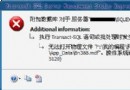
Timeout expired. The timeout period elapsed prior to obtaining a connection from the pool.
This may have occurred because all pooled connections were in use and max pool size was reached.
Source: connection.Open();
連接字串已設 Max Pool Size=200,理論不應耗盡。
移除連接池設定 (Pooling=false) 後,錯誤轉為:
An error has occurred while establishing a connection to the server.
When connecting to SQL Server 2005, this failure may be caused by the fact that under the default settings SQL Server does not allow remote connections.
(provider: Named Pipes Provider, error: 40 - Could not open a connection to SQL Server)
錯誤訊息提及「SQL Server 2005」、「Named Pipes」、「遠端連線未啟用」——**全是誤導**,實際環境是 SQL Server 2000。
Timeout expired ... max pool size reached,實際連接數遠未達上限。SQL2000-KB884525-SP4-x86-ENU.exe (或對應語言版)。SELECT @@VERSION → 8.00.2039 (SP4 標識)。Pooling=true; Max Pool Size=200),壓力測試驗證連接獲取穩定。| 階段 | 觀察到的現象 | 實際原因 | 關鍵線索 |
|---|---|---|---|
| 1 | 連接池 Timeout,max pool size reached | 連接釋放 Bug 導致連接洩漏 | 連接字串 Max Pool Size=200 理論足夠 |
| 2 | 關閉 Pooling → Named Pipes Error 40 | 同一根因在無連接池掩蓋下暴露協定層錯誤 | 錯誤訊息提及 SQL Server 2005,但實際是 2000 |
| 3 | 安裝 SP4 → 症狀消失 | SP4 修復連接處理與 Named Pipes 邏輯 | 版本號變為 8.00.2039 |
SELECT SERVERPROPERTY('ProductLevel') 確認 SP 等級,缺 SP4 直接打補丁,省去數小時代碼審查。Min Pool Size=5 (預熱)、Connection Lifetime=300 (定期回收)、Load Balance Timeout=0 (不自動負載平衡)。HKEY_LOCAL_MACHINE\SOFTWARE\Microsoft\MSSQLServer\Client\ConnectTo 設 TraceLevel=0xFFFF 產生詳細連接日誌。SQL Server 2000 SP4 修復的連接池/協定 Bug 是典型的「基礎設施缺陷偽裝成應用層錯誤」案例。遇到連接池異常、協定錯誤訊息與實際版本不符時,**第一優先級檢查 Service Pack 等級**,往往能以最小成本解決最大疑雲。