記錄一次 RH5 + Oracle 11g 深夜安裝過程中遇到的關鍵問題與解決方案,涵蓋核心參數調整原則、Shell Limits 含義、環境變數精簡、圖形介面顯示設定、安裝媒體驗證及監聽器啟動失敗的根因分析 (ORA-104 / Linux Error 104)。
官方文件明確註記:Note: If the current value of any parameter is higher than the value listed in this table, then do not change the value of that parameter.
意即:若系統現有參數值 (如 kernel.shmmax, kernel.shmall) 已大於文件建議最低值,切勿調低,保持現狀即可,避免影響系統穩定。
設定 Oracle 安裝帳號的 nproc (最大行程數) 與 nofile (最大開啟檔案數),需區分 soft (當前生效值) 與 hard (系統允許上限)。
格式: <domain> <type> <item> <value>
domain:使用者、群組、* (所有)、% (模糊比對)type:soft / harditem:core, stack, nofile, nproc 等建議設定範例:
oracle soft nproc 2047
oracle hard nproc 16384
oracle soft nofile 1024
oracle hard nofile 65536
網路教學常列出冗長的 PATH, LD_LIBRARY_PATH 等,實務上核心變數僅需:
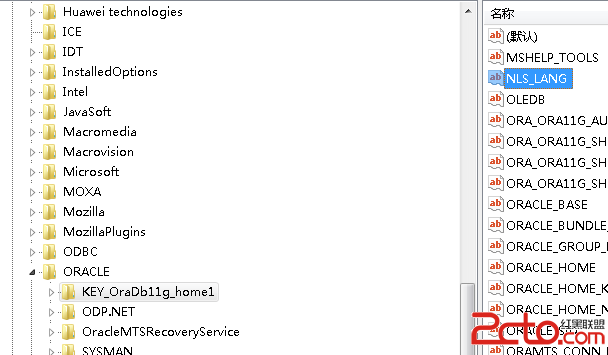
ORACLE_HOME, ORACLE_SID, ORACLE_BASEPATH 包含 $ORACLE_HOME/bin (供 sqlplus, rman, netca 等)LD_LIBRARY_PATH 包含 $ORACLE_HOME/libNLS_LANG (如 AMERICAN_AMERICA.ZHS16GBK)CLASSPATH, TNS_ADMIN 等) 視實際需求添加。場景:Root 登入 Server A,SSH 至 Server B (安裝主機) 切換 oracle 帳號執行 ./runInstaller。
xhost + (允許所有主機存取本機 X Server) 或 xhost + <Server B IP> (限定 IP)。su - oracleexport DISPLAY=<Server A IP>:0.0 後執行 ./runInstaller。若直接以 oracle 帳號登入 Server B 主控台安裝,通常無需此設定。
現象:執行 ./runInstaller 無錯誤訊息、無日誌、介面不顯示。更換舊版媒體 (11.2.0.1) 即正常。結論:安裝媒體檔案損壞或不完整,建議重新下載並校驗 checksum (md5/sha256)。
錯誤現象: 使用 netca 建立預設 LISTENER 後,lsnrctl start/status/stop 皆報錯。
根因分析 (參考 MOS Doc ID 343295.1):
/etc/hosts 中主機名稱對應 IP 錯誤或遺漏。/etc/hosts 缺少正確的 localhost 回環項目 (127.0.0.1)。/etc/nsswitch.conf。實際案例排查:
# 原始 /etc/hosts (錯誤)
#127.0.0.1 localhost localhost.localdomain localhost4 localhost4.localdomain4
#::1 localhost localhost.localdomain localhost6 localhost6.localdomain6
172.27.19.56 dcsopenNode1.localdomain dcsopenNode1
問題:localhost 回環行被註解。listener.ora 使用 HOST=hostname 或實際 IP 均失敗。
解決步驟:
/etc/hosts,取消註解 localhost 行:127.0.0.1 localhost.localdomain localhost/etc/nsswitch.conf 權限:chmod 644 /etc/nsswitch.conf。lsnrctl start,問題解決。Oracle on Linux 安裝核心在於:核心參數不降反升、Limits 區分 Soft/Hard、環境變數精準極簡、圖形轉發 xhost 必備、媒體完整性驗證、/etc/hosts 必須包含 localhost 回環。掌握這六點,可避開 90% 的安裝坑點。