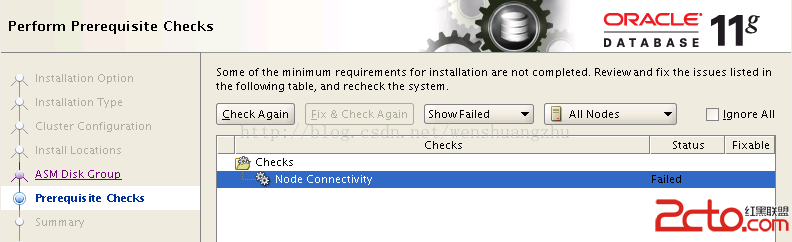
圖形化安裝介面提示 "Node connectivity check failed"。
/etc/hosts 設定錯誤./runcluvfy.sh stage -post hwos -n node74,node76 -verbose
...
Check: Node connectivity of subnet "20.20.20.0"
WARNING: Make sure IP address "20.20.20.1" is up and is a valid IP address on node "node74"
Source Destination Connected?
node76:eth2 node74:eth2 no
Result: Node connectivity failed for subnet "20.20.20.0"
Check: TCP connectivity of subnet "20.20.20.0"
Source Destination Connected?
node74:20.20.20.1 node76:20.20.20.2 failed兩節點各有一張網卡配置在同一網段 (20.20.20.0/24),但實際未物理連通(未插網線/未接交換機/不同 VLAN),導致 CLUVFY 偵測到同網段節點間 TCP 不通,判定 Node Connectivity Failed。
ifconfig eth2 down 或永久關閉 ONBOOT=no停用 eth2 後重新執行安裝檢查 通過。
runcluvfy.sh stage -pre crsinst -n node1,node2 -verbose 完整預檢Node Connectivity Check Failed 90% 是網路規劃與物理部署不一致。CLUVFY 是最誠實的檢查工具,安裝前跑通它,安裝才會順利。