SQL*Loader 是資料倉庫大量載入資料的首選工具,支援 DIRECT、PARALLEL 等高效模式。本文以實際案例帶您快速掌握核心用法,跳過枯燥理論,直擊操作重點。
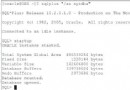
SQLLDRsqlldr 或 sqlload執行 sqlldr 可查看關鍵字參數說明,常用參數包括:
| 參數 | 說明 | 預設值 |
|---|---|---|
| userid | 帳號/密碼 | - |
| control | 控制檔名稱 | - |
| log | 記錄檔名稱 | - |
| bad | 錯誤資料檔 | - |
| data | 資料檔名稱 | - |
| direct | 直接路徑載入 | FALSE |
| parallel | 平行載入 | FALSE |
| rows | 綁定陣列筆數/直接路徑儲存點 | 常規 64 / 直接路徑全部 |
| errors | 允許錯誤筆數 | 50 |
result.csv1,預設 Web 站點,192.168.2.254:80:,RUNNING
2,other,192.168.2.254:80:test.com,STOPPED
3,third,192.168.2.254:81:thirdabc.com,RUNNING四欄位,逗號分隔,最後一欄以空白結尾。
result.ctlload data
infile 'result.csv'
into table resultxt
(resultid char terminated by ',',
website char terminated by ',',
ipport char terminated by ',',
status char terminated by whitespace)說明:
infile 指定資料檔;省略 badfile、discardfile 會自動產生同名檔。into table resultxt 預設 INSERT 模式,可改 APPEND 追加或 REPLACE 覆蓋。terminated by ',' 指定欄位分隔符;最後欄用 whitespace。D:> sqlldr userid=fancy/testpass control=result.ctl log=resulthis.out若出現 ORA-04043: 物件 RESULTXT 不存在,表示目標表未建立。需先在資料庫建表:
create table resultxt
(resultid varchar2(500),
 website varchar2(500),
 ipport varchar2(500),
status varchar2(500));direct=true,繞過 SQL 引擎直接寫入資料塊,速度大幅提升。parallel=true 搭配多個資料檔與控制檔,發揮多核效能。FILESIZE 參數控制單一 dump 檔大小。掌握「控制檔寫法」+「參數調校」是用好 SQL*Loader 的關鍵。建議先在測試環境跑通流程,再套用至正式環境。