首頁
編程語言
C語言|JAVA編程
Python編程
網頁編程
ASP編程|PHP編程
JSP編程
數據庫
MYSQL數據庫|SqlServer數據庫
Oracle數據庫|DB2數據庫

Oracle 9i 基於 Web 管理部署全攻略:四層架構、Apache 配置、JInitiator 安裝、Applet Console 啟動

     編輯:Oracle 資料庫相關知識

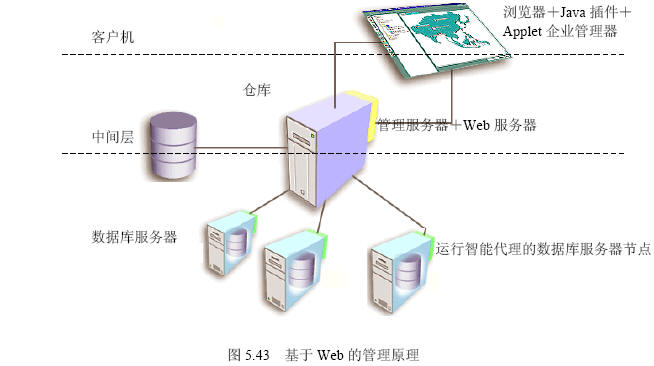
四層部署架構

層級組件關鍵軟件
客戶機瀏覽器 + Java 插件IE 5.0+、Oracle JInitiator 1.1.8.10、Applet EM
中間層Management Server + HTTP ServerOMS、Apache 1.3 (內嵌)
數據庫層Database Server + Intelligent AgentOracle 9i Server、Intelligent Agent

架構圖:

四步構建環境

  1. 數據庫服務器:啟動 Intelligent Agent (驗證 lsnrctl status 顯示 Agent)
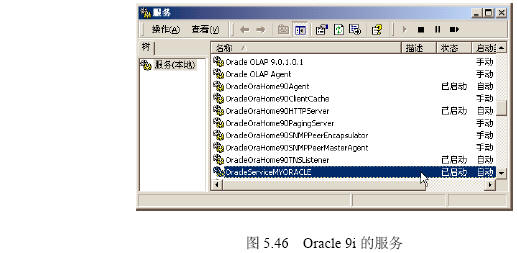
  2. 管理服務器:啟動 OMS 服務 (OracleOraHome90ManagementServer)
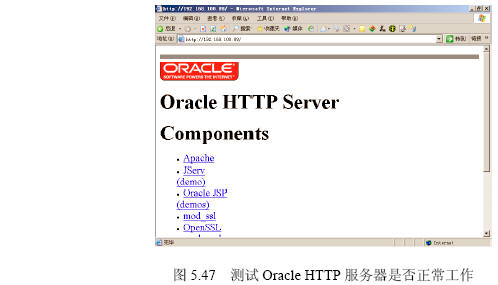
  3. Web 服務器:啟動 Apache HTTP Server
  4. 管理客戶機:安裝 JInitiator → 安裝 Applet EM

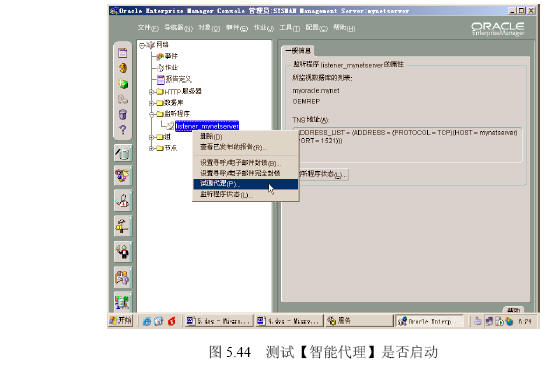
Intelligent Agent 啟動驗證與排查

  • 驗證:net start OracleOraHome90Agent、EM 節點頁面 Agent 狀態綠燈
  • 常見失敗:snmp_ro.ora/snmp_rw.ora 社區名不匹配、services.ora 缺失、端口 1748/1754 衝突
  • 解決:重建 Agent 配置、防火牆放行、重啟服務

截圖:

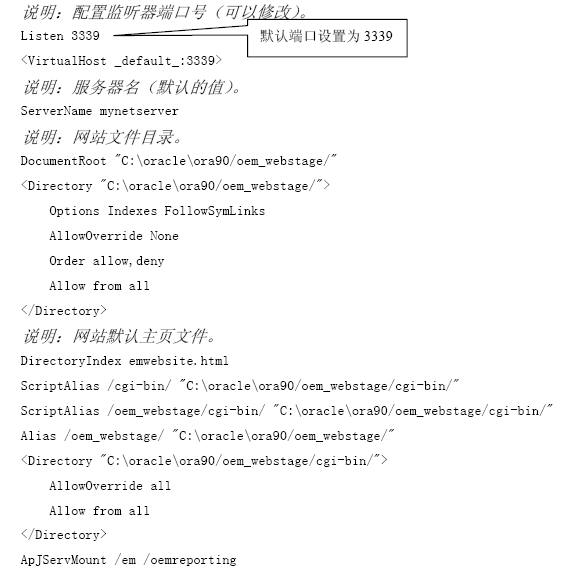
Apache HTTP Server 端口配置

服務端口 (默認 80)

# httpd.conf
Port 80
Listen 80
→ 修改為 8888 後重啟 Apache

管理端口 (默認 3339)

# oem.conf
Listen 3339

→ 修改為 4000 後重啟

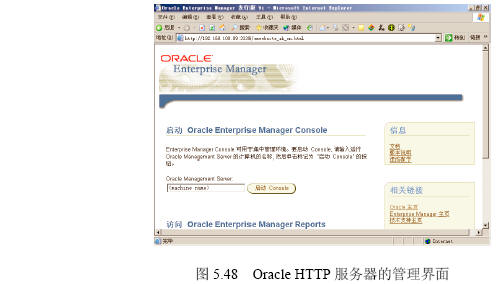
管理入口 URL:https://host:3339/emwebsite_zh_CN.html

截圖:
JInitiator 安裝與配置

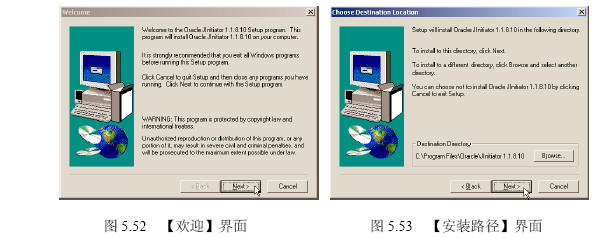
  1. 下載 jinit11810.exe
  2. 安裝向導:默認路徑、完成
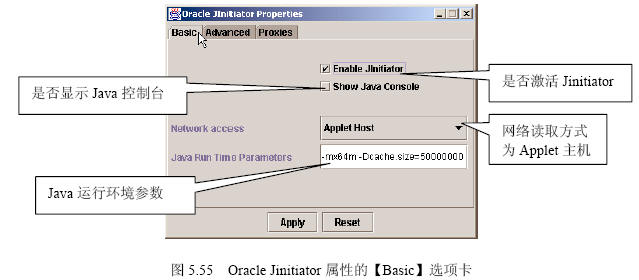
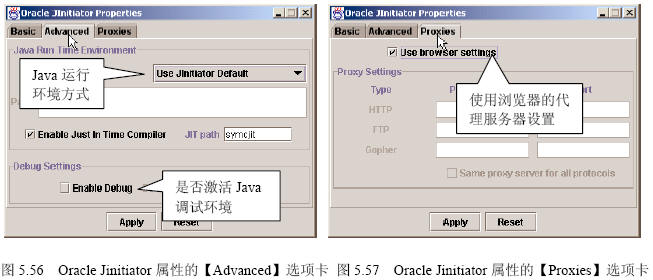
  3. 控制面板 → JInitiator 屬性:
     Basic:默認
     Advanced:JRE 參數
     Proxies:代理設置 (若需)

截圖:

Applet EM 安裝與登錄

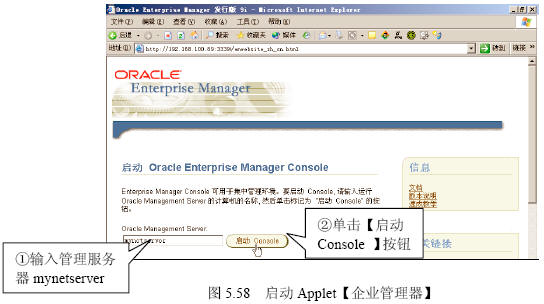
  1. IE 訪問 https://host:3339/emwebsite_zh_CN.html
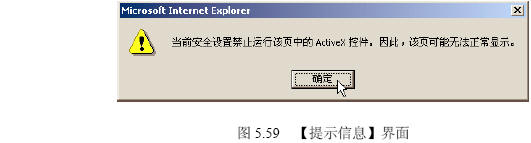
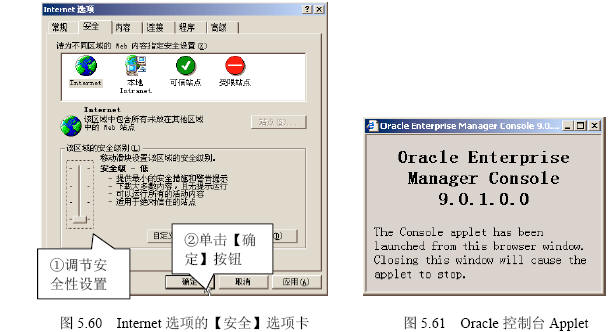
  2. 允許 ActiveX/簽名提示 → 下載安裝 Applet 組件
  3. Java Console 窗口保持開啟 (關鍵!)
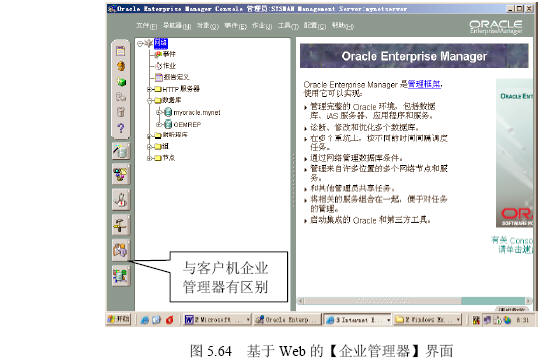
  4. 彈出「基於 Web 的控制台登錄」→ 輸入 sysman/oem_temp → 登錄
  5. 進入 Web EM 界面 (缺「服務管理」集成工具)

截圖:

注意事項

  • JInitiator 已停止更新,現代環境建議遷移至 Java Web Start / JRE 直連方案。
  • IE 信任站點需添加管理 URL,降低安全級別允許簽名 Applet 運行。
  • Web EM 功能子集:缺 Service Management、部分報表需獨立 Reports Server。
  1. 上一篇文章:
  2. 下一篇文章:
Copyright © 程式碼之家 All Rights Reserved