本文記錄在 RedHat 4 虛擬機上安裝 Oracle 10g 軟件的完整步驟(不含建庫),供參考。實際生產環境請參考官方安裝指南並根據硬件調整參數。
groupadd -g 200 oinstall
groupadd -g 201 dba
useradd -u 200 -g oinstall -G dba oracle
passwd oracle
mkdir -p /u01/app/oracle
chown -R oracle:oinstall /u01
cd /home/oracle
vi .bash_profile
export EDITOR=vi
export ORACLE_SID=sdyprod
export ORACLE_BASE=/u01/app/oracle
export ORACLE_HOME=/u01/app/oracle/product/10.2.0/db_1
export ORA_CRS_HOME=/u01/crs_1
export LD_LIBRARY_PATH=$ORACLE_HOME/lib
export PATH=$ORACLE_HOME/bin:$ORA_CRS_HOME/bin:/bin:/usr/bin:/usr/sbin:/usr/local/bin:/usr/X11R6/bin
umask 022
[oracle@rac1 ~]$ source .bash_profile
/etc/sysctl.conf
kernel.shmall = 2097152
kernel.shmmax = 2147483648
kernel.shmmni = 4096
kernel.sem = 250 32000 100 128
fs.file-max = 65536
net.ipv4.ip_local_port_range = 1024 65000
net.core.rmem_default = 1048576
net.core.rmem_max = 1048576
net.core.wmem_default = 262144
net.core.wmem_max = 262144
/etc/security/limits.conf
oracle soft nproc 2047
oracle hard nproc 16384
oracle soft nofile 1024
oracle hard nofile 65536
/etc/pam.d/login 添加:session required /lib/security/pam_limits.so
/etc/profile 添加 oracle 用戶專屬 ulimit 設置。
修改後 重啟系統 生效。
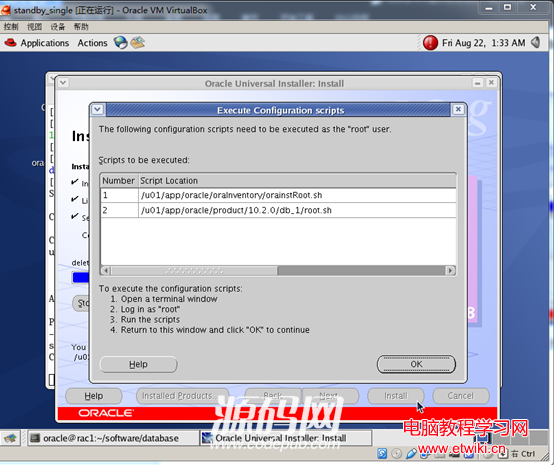
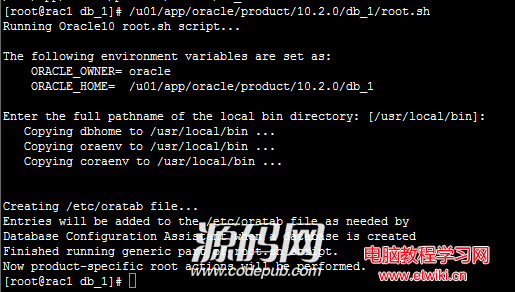
/u01/app/oracle/oraInventory/orainstRoot.sh 及 /u01/app/oracle/product/10.2.0/db_1/root.sh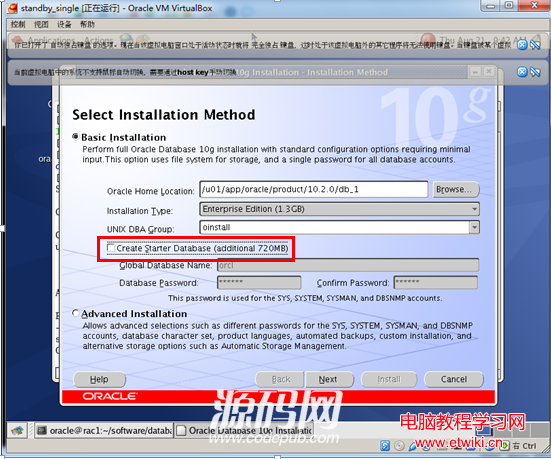
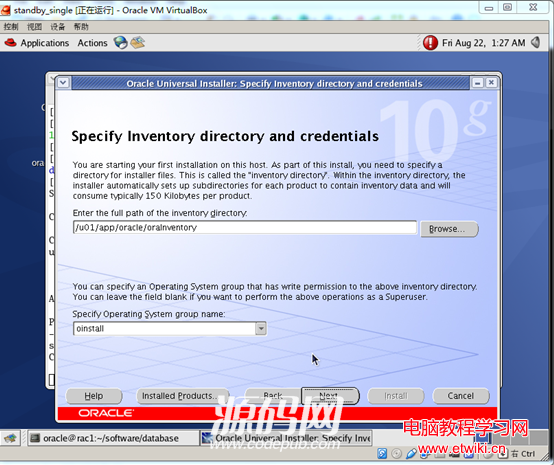
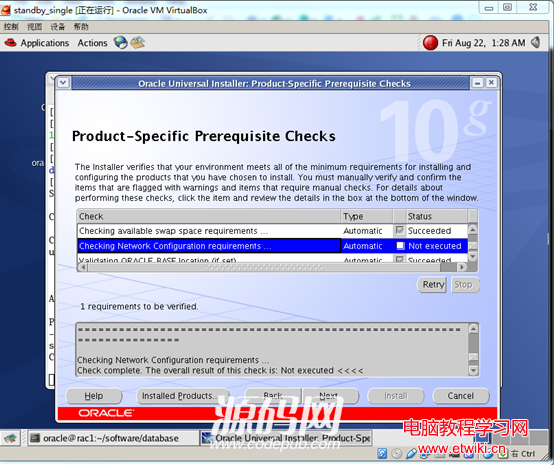
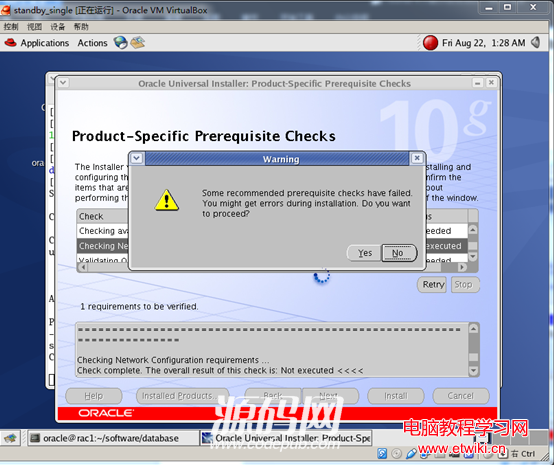
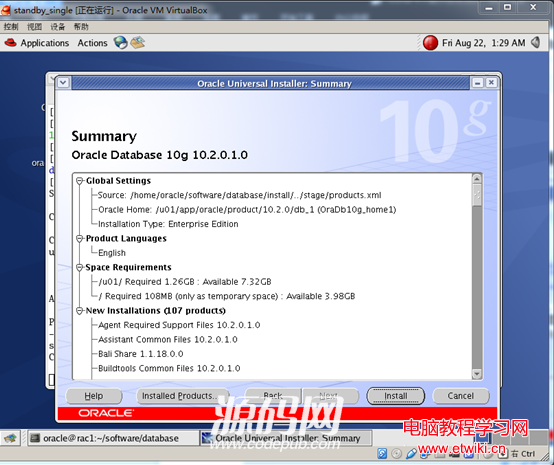
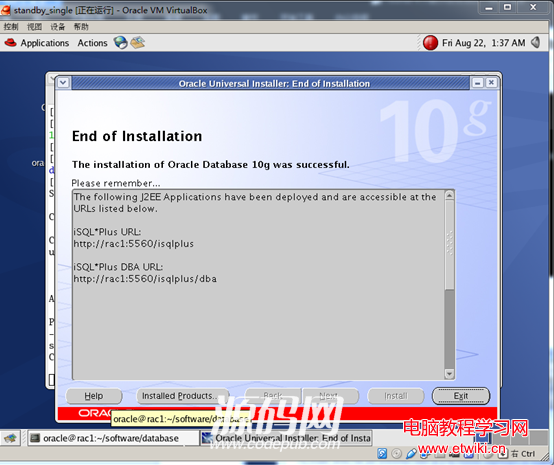
使用 netca 圖形工具配置監聽器,後續建庫時將使用該監聽。
本文僅覆蓋軟件安裝,建庫、數據遷移、性能調優等後續工作不在本篇範圍內。