mysql\bin 目錄mysqld --skip-grant-tables 按 Enter。若無提示訊息即成功mysql\bin 目錄mysql 按 Enter,成功會顯示 mysql> 提示符mysql> use mysql;mysql> update user set password=password("520") where user="root";mysql> flush privileges;mysql> \q123456 登入第一步:
C:\Documents and Settings\Administrator>cd D:\web\www.php100.com\Mysql\MySQL Se
rver5.5\bin
C:\Documents and Settings\Administrator>d:
D:\web\www.php100.com\Mysql\MySQL Server5.5\bin>mysqld --skip-grant-tables
第二步:
Microsoft Windows [版本 5.2.3790]
(C) 版權所有 1985-2003 Microsoft Corp.
C:\Documents and Settings\Administrator>cd D:\web\www.php100.com\Mysql\MySQL Se
rver5.5\bin
C:\Documents and Settings\Administrator>d:
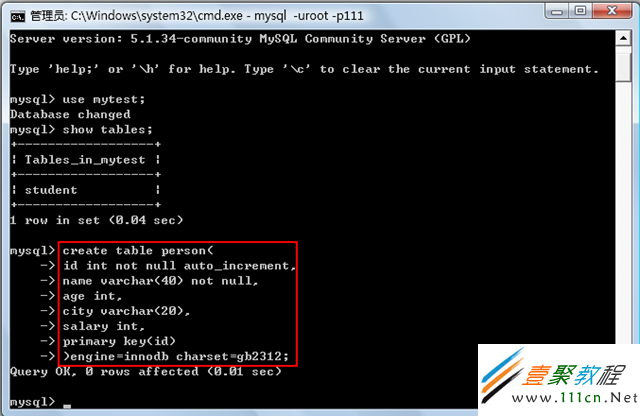
D:\web\www.php100.com\Mysql\MySQL Server5.5\bin>mysql
Welcome to the MySQL monitor. Commands end with ; or \g.
Your MySQL connection id is 1
Server version: 5.5.10 MySQL Community Server (GPL)
...
mysql> use mysql;
Database changed
mysql> update user set password=password("520") where user="root";
Query OK, 1 row affected (0.00 sec)
Rows matched: 1 Changed: 1 Warnings: 0
mysql> flush privileges;
Query OK, 0 rows affected (0.00 sec)
mysql> \q
Bye
D:\web\www.php100.com\Mysql\MySQL Server5.5\bin>
重置期間 MySQL 完全處於無密碼保護狀態,建議關閉對外連接埠、停止 Apache 及所有使用者程序,最安全是在 Console 操作並拔除網路線。
# vi /etc/my.cnf
在 [mysqld] 區段加入:skip-grant-tables

例如:
[mysqld]
datadir=/var/lib/mysql
socket=/var/lib/mysql/mysql.sock
skip-grant-tables
存檔離開 vi。
# /etc/init.d/mysqld restart
Stopping MySQL: [ OK ]
Starting MySQL: [ OK ]
# /usr/bin/mysql
Welcome to the MySQL monitor. Commands end with ; or \g.
Your MySQL connection id is 3 to server version: 3.23.56
Type 'help;' or '\h' for help. Type '\c' to clear the buffer.
mysql> USE mysql;
Database changed
mysql> UPDATE user SET Password = password('new-password') WHERE User = 'root';
Query OK, 0 rows affected (0.00 sec)
Rows matched: 2 Changed: 0 Warnings: 0
mysql> flush privileges;
Query OK, 0 rows affected (0.01 sec)
mysql> quit
Bye
# vi /etc/my.cnf
刪除 [mysqld] 區段中剛加入的 skip-grant-tables
存檔離開 vi。
# /etc/init.d/mysqld restart
Stopping MySQL: [ OK ]
Starting MySQL: [ OK ]
完成後即可使用新密碼登入 MySQL。