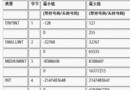
BLOB:64 KBMEDIUMBLOB:16 MBLONGBLOB:4 GB(現代數位相片建議使用)CREATE TABLE images (
id CHAR(36) PRIMARY KEY,
pic LONGBLOB
) ENGINE=InnoDB DEFAULT CHARSET=utf8;postblob.html<form action="testblob.jsp" method="post" enctype="multipart/form-data">
ID: <input name="id" type="text"/><br/>
File: <input name="file" type="file"/><br/>
<input type="submit" value="上傳"/>
</form>testblob.jsp(核心:PreparedStatement + setBinaryStream)<%@ page import="java.sql.*,java.io.*" %>
<%
String id = request.getParameter("id");
Part filePart = request.getPart("file"); // Servlet 3.0+ 標準 API
InputStream is = filePart.getInputStream();
Class.forName("com.mysql.jdbc.Driver").newInstance();
Connection conn = DriverManager.getConnection("jdbc:mysql://localhost/test", "root", "");
String sql = "INSERT INTO images (id, pic) VALUES (?, ?)";
PreparedStatement pstmt = conn.prepareStatement(sql);
pstmt.setString(1, id);
pstmt.setBinaryStream(2, is, (int) filePart.getSize()); // 傳入長度讓驅動優化
pstmt.executeUpdate();
pstmt.close();
conn.close();
out.println("上傳成功!");
%>優勢:無需先插入空值再更新,單次 executeUpdate 完成寫入,效能最佳。
readblob.jsp<%@ page import="java.sql.*,java.io.*" %>
<%
String id = request.getParameter("id");
Connection conn = DriverManager.getConnection("jdbc:mysql://localhost/test", "root", "");
Statement stmt = conn.createStatement();
ResultSet rs = stmt.executeQuery("SELECT pic FROM images WHERE id='" + id + "'");
if (rs.next()) {
Blob blob = rs.getBlob("pic");
int len = (int) blob.length();
InputStream in = blob.getBinaryStream();
byte[] buf = new byte[4096];
int read;
response.setContentType("image/jpeg"); // 或根據實際格式動態判斷
ServletOutputStream out = response.getOutputStream();
while ((read = in.read(buf)) != -1) {
out.write(buf, 0, read);
}
in.close();
out.flush();
}
rs.close();
stmt.close();
conn.close();
%>| 項目 | 說明 |
|---|---|
| 連線池 | 生產環境必須使用 DataSource (JNDI/連線池),避免頻繁建立連線 |
| 大檔案 | > 10MB 建議存檔案系統/物件存儲,資料庫只存路徑 |
| SQL 注入 | 讀取頁面示範用拼接 SQL 僅為教學,**實務必須用 PreparedStatement** |
| Content-Type | 建議表中額外存 mime_type 欄位,動態設定回應類型 |
| 緩衝區大小 | 4KB-8KB 平衡記憶體與系統呼叫次數 |
Packet too large:調大 max_allowed_packet(如 32M)response.setContentType 與實際格式一致,避免 JSP 頁面輸出空白字元混入二進位流blob.getBytes(1, (int)blob.length()) 一次性讀入大 Blob,必須流式讀寫掌握 PreparedStatement.setBinaryStream 與 Blob.getBinaryStream 流式處理模式,是 JSP/MySQL 高效、安全處理二進位資料的標準作法。