以 --skip-grant-tables 啟動 MySQL,跳過權限檢查,無密碼登入,修改 mysql.user 表,刷新權限,重啟正常模式。
REM 1. 以管理員身份打開 CMD,停止服務
sc stop mysql

REM 2. 跳過授權表啟動 (保持窗口開啟)
mysqld --skip-grant-tables

REM 3. 新開 CMD 窗口,無密碼登入
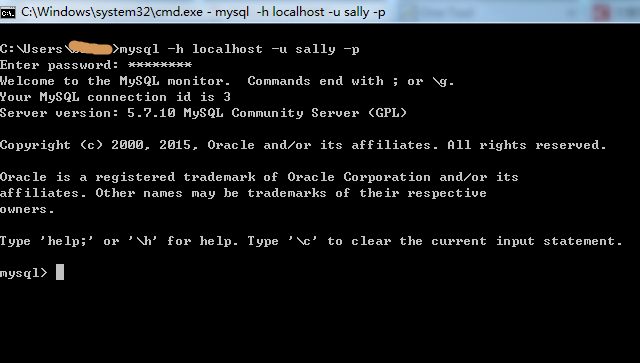
mysql -u root -p
-- 直接回車進入

REM 4. 修改密碼
USE mysql;
UPDATE user SET authentication_string=PASSWORD('123456') WHERE User='root';
-- MySQL 5.7+ 用 authentication_string,5.6 用 Password
FLUSH PRIVILEGES;
EXIT;

REM 5. 關閉兩個窗口,正常啟動服務
sc start mysql

REM 6. 驗證新密碼
mysql -u root -p123456# 1. 停止服務
systemctl stop mysqld
# 或: /etc/init.d/mysql stop
# 2. 跳過授權表啟動 (後台運行)
mysqld_safe --skip-grant-tables &
# 3. 無密碼登入
mysql -u root
# 4. 修改密碼 (同 Windows)
USE mysql;
UPDATE user SET authentication_string=PASSWORD('123456') WHERE User='root';
FLUSH PRIVILEGES;
EXIT;
# 5. 關閉臨時進程,正常啟動
pkill mysqld
systemctl start mysqld
# 或: /etc/init.d/mysql start
# 6. 驗證
mysql -u root -p123456| 版本 | 密碼欄位 | 語法 |
|---|---|---|
| MySQL 5.6 | Password | UPDATE user SET Password=PASSWORD('new') ... |
| MySQL 5.7 / 8.0 | authentication_string | UPDATE user SET authentication_string=PASSWORD('new') ... |
| MySQL 8.0.11+ | authentication_string | 建議 ALTER USER 'root'@'localhost' IDENTIFIED BY 'new'; (需正常模式) |
# 1. 建立初始化文件 /tmp/init.sql
ALTER USER 'root'@'localhost' IDENTIFIED BY 'NewPass123!';

# 2. 啟動時載入
mysqld --init-file=/tmp/init.sql --user=mysql &

# 3. 登入驗證
mysql -u root -pNewPass123!mysql_secure_installationroot@'%',建立專用業務帳號、最小權限validate_password 插件強制複雜度FLUSH PRIVILEGES → 新密碼不生效--skip-grant-tables 未完全關閉舊進程 → 端口衝突、數據損壞