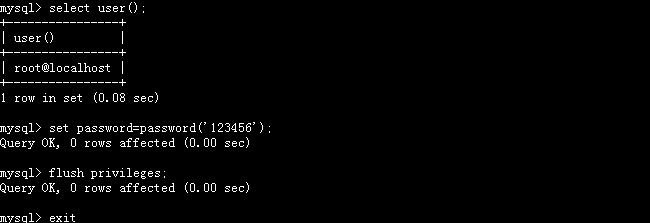
MySQL 客戶端互動模式下執行的 SQL 語句會自動記錄在使用者家目錄的 ~/.mysql_history。生產環境為防敏感資訊(密碼、結構、資料)洩露,需定期清理或停用記錄。
# /etc/profile 或 ~/.bashrc
export HISTSIZE=0          # 不保留歷史
# 或
export HISTSIZE=100        # 僅保留 100 筆
生效:source /etc/profile 或重新登入。
echo '' > ~/.bash_history
history -c
history -w
echo '' > ~/.mysql_history
建立符號連結指向 /dev/null,所有寫入直接丟棄:
ln -sf /dev/null ~/.mysql_history
或在 ~/.my.cnf 加入:
[mysql]
no-auto-rehash
# 無直接停用 history 選項,符號連結法最有效
mysql --batch --skip-history  # 批次模式不記錄
# 或啟動後
\> SET SESSION sql_log_off = 1;  # 僅影響二進制日誌,不影響 .mysql_history
ln -sf /dev/null /root/.mysql_history、HISTSIZE=0~/.mysql_history、~/.bash_history# 確認歷史檔為空或為 /dev/null 連結 ls -la ~/.mysql_history ~/.bash_history cat ~/.mysql_history # 進入 mysql 客戶端執行幾條指令,退出後再檢查 mysql -u root -p -e "SELECT 1;" cat ~/.mysql_history # 應為空
清除歷史記錄的核心手段:echo '' > 檔案(一次性清空)、ln -sf /dev/null 檔案(永久停用)、HISTSIZE=0(停用 Bash 記錄)。生產環境強烈建議永久停用 .mysql_history,改用伺服器端審計功能滿足合規需求。