XAMPP 預設 root 空密碼,生產/團隊開發必須修改。本文給出最簡單雙重同步法:SQL 修改數據庫賬號、配置文件同步 phpMyAdmin 免登錄(可選)。
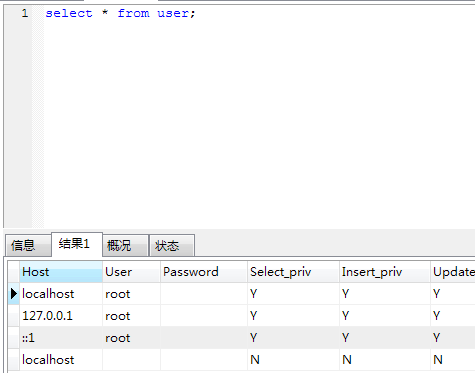
-- 登錄 phpMyAdmin 或 mysql 命令行
UPDATE mysql.user SET Password=PASSWORD('jb51.net') WHERE User='root';
FLUSH PRIVILEGES;
或 5.7.6+ / 8.0:
ALTER USER 'root'@'localhost' IDENTIFIED BY 'jb51.net';
編輯 phpMyAdmin/config.inc.php:
/* Authentication type and info */
$cfg['Servers'][$i]['auth_type'] = 'config';
$cfg['Servers'][$i]['user'] = 'root';
$cfg['Servers'][$i]['password'] = 'jb51.net';   // 填入新密碼
$cfg['Servers'][$i]['extension'] = 'mysqli';
$cfg['Servers'][$i]['AllowNoPassword'] = true;  // 保留 true 兼容舊行為
⚠️ 生產環境嚴禁 auth_type=config,必須用 cookie + 強密碼 + HTTPS。
mysql -u root -pjb51.net -e "SELECT USER()"一條 SQL + 一處配置,XAMPP 本地環境密碼修改完成。