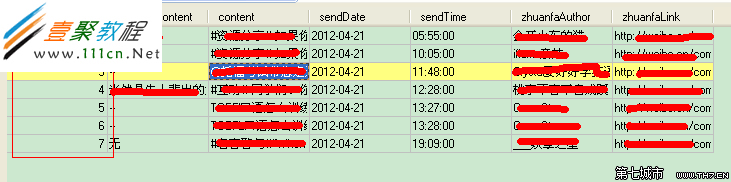
MySQL BLOB(Binary Large Object)家族(TINYBLOB/BLOB/MEDIUMBLOB/LONGBLOB)用於存儲二進制數據。C# 通過官方驅動 MySql.Data.dll 讀寫 BLOB,核心是參數化查詢 + MySqlDbType.Blob + MemoryStream 序列化。本文提供可直接跑通的 WinForms 示例,涵蓋「寫入 byte[]」與「讀取反序列化」全流程。
MySql.Data.dll (v6.9.6+) ,NuGet 安裝 Install-Package MySql.Data。CREATE TABLE `mm` (
`id` INT NOT NULL AUTO_INCREMENT PRIMARY KEY,
`arr` BLOB NOT NULL
) ENGINE=InnoDB DEFAULT CHARSET=utf8;
Settings.settings):server=127.0.0.1;user=root;database=test;port=3306;password=****;using System;
using System.IO;
using System.Runtime.Serialization.Formatters.Binary;
using MySql.Data.MySqlClient;
using System.Windows.Forms;
namespace BlobDemo
{
public partial class Form1 : Form
{
MemoryStream ms = new MemoryStream();
// 存入:int[] 序列化 → byte[] → BLOB
private void btnSave_Click(object sender, EventArgs e)
{
int[] arr = { 1, 2, 3 };
BinaryFormatter bf = new BinaryFormatter();
bf.Serialize(ms, arr);
byte[] blobData = ms.ToArray();
using (var conn = new MySqlConnection(Properties.Settings.Default.MySqlConnectString))
using (var cmd = new MySqlCommand("INSERT INTO mm(arr) VALUES(@blobData)", conn))
{
cmd.Parameters.Add("@blobData", MySqlDbType.Blob).Value = blobData;
try
{
conn.Open();
cmd.ExecuteNonQuery();
MessageBox.Show($"寫入成功,長度 {blobData.Length} 字節");
}
catch (Exception ex) { MessageBox.Show(ex.Message); }
}
finally { ms.Close(); ms.Dispose(); ms = new MemoryStream(); }
}
// 讀取:BLOB → byte[] → 反序列化 → int[]
private void btnLoad_Click(object sender, EventArgs e)
{
BinaryFormatter bf = new BinaryFormatter();
using (var conn = new MySqlConnection(Properties.Settings.Default.MySqlConnectString))
using (var cmd = new MySqlCommand("SELECT arr FROM mm WHERE id=@id", conn))
{
cmd.Parameters.AddWithValue("@id", 6); // 示例 id
try
{
conn.Open();
using (var dr = cmd.ExecuteReader())
{
if (!dr.HasRows) { MessageBox.Show("無數據"); return; }
dr.Read();
long len = dr.GetBytes(0, 0, null, 0, int.MaxValue);
byte[] blob = new byte[len];
dr.GetBytes(0, 0, blob, 0, (int)len);
ms = new MemoryStream(blob);
ms.Position = 0;
int[] arr = (int[])bf.Deserialize(ms);
MessageBox.Show("讀出數組:" + string.Join(" ", arr));
}
}
catch (Exception ex) { MessageBox.Show(ex.Message); }
}
}
}
}
| 環節 | 關鍵類/方法 | 說明 |
|---|---|---|
| 序列化 | BinaryFormatter.Serialize(Stream, object) | 將物件圖轉為二進制流;需標記 [Serializable]。 |
| 參數化 | MySqlParameter("@p", MySqlDbType.Blob) | 防注入、自動處理二進制轉義、無長度限制(受 max_allowed_packet 限制)。 |
| 讀取流式 | MySqlDataReader.GetBytes(ordinal, offset, buffer, bufferOffset, length) | 分塊讀取大 BLOB,避免一次性載入大內存;示例先 GetBytes(..., null, ...) 取長度,再分配數組讀取。 |
| 反序列化 | BinaryFormatter.Deserialize(Stream) | 還原物件;MemoryStream.Position=0 必須重置。 |
max_allowed_packet 默認 4MB/16MB,大文件需調大(如 SET GLOBAL max_allowed_packet=1073741824)。LONGBLOB (4GB) + 分塊讀寫 + 異步處理。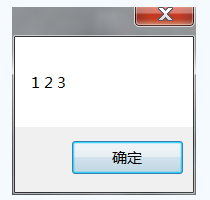
C# 讀寫 MySQL BLOB 核心就三步:**序列化 → 參數化寫入 → 流式讀取反序列化**。掌握 MySqlDbType.Blob、GetBytes 分塊讀取、BinaryFormatter 序列化協議,即可應對圖片、文檔、對象快照等二進制存儲場景。記住:大文件還是讓對象存儲去抗,MySQL 專心做結構化數據最擅長。