Python 通過 MySQLdb (C 擴展)、mysqlclient (維護分支)、PyMySQL (純 Python) 等驅動連接 MySQL。本文以 mysqlclient 為例,覆蓋連接管理、游標操作、參數化查詢、事務控制、異常處理、編碼設置、結果集格式化輸出等工程化實踐。
# Ubuntu/Debian
apt-get install -y python3-dev default-libmysqlclient-dev build-essential
pip3 install mysqlclient

# CentOS/RHEL
yum install -y python3-devel mysql-devel gcc
pip3 install mysqlclient

# Windows (預編譯 wheel)
pip3 install mysqlclientimport MySQLdb
from MySQLdb.cursors import DictCursor
# 1. 建立連接
conn = MySQLdb.connect(
host='localhost',
user='root',
passwd='StrongPass123!',
db='myapp',
charset='utf8mb4',
cursorclass=DictCursor, # 返回 dict 而非 tuple
autocommit=False # 手動控制事務
)
# 2. 獲取游標
cur = conn.cursor()
# 3. 參數化查詢 (防注入、計劃復用)
sql = "SELECT id, username, email FROM users WHERE status=%s AND created_at>%s"
cur.execute(sql, (1, '2023-01-01'))
# 4. 獲取結果
rows = cur.fetchall() # 列表 [dict, dict, ...]
row = cur.fetchone() # 單行 dict 或 None
rows = cur.fetchmany(10) # 批量獲取
# 5. 寫操作與事務
try:
cur.execute("INSERT INTO logs (msg) VALUES (%s)", ('測試日志',))
cur.execute("UPDATE stats SET cnt=cnt+1 WHERE date=%s", ('2023-10-15',))
conn.commit()
except Exception as e:
conn.rollback()
raise
finally:
cur.close()
conn.close()from DBUtils.PooledDB import PooledDB
pool = PooledDB(
creator=MySQLdb,
maxconnections=20,
mincached=5,
maxcached=10,
blocking=True,
host='localhost',
user='app_user',
passwd='AppPass456$%^',
db='myapp',
charset='utf8mb4',
cursorclass=DictCursor
)
# 獲取連接 (從池中取或創建)
conn = pool.connection()
try:
cur = conn.cursor()
cur.execute("SELECT 1")
print(cur.fetchone())
finally:
conn.close() # 歸還池中,非真正關閉| 場景 | 佔位符 | 參數傳遞 | 示例 |
|---|---|---|---|
| 單參數 | %s | 元組 (val,) | execute(sql, (uid,)) |
| 多參數 | %s, %s | 元組 (v1, v2) | execute(sql, (name, age)) |
| IN 列表 | %s, %s, %s | 元組/列表 | execute("SELECT * FROM t WHERE id IN (%s,%s,%s)", ids) |
| 動態 IN | 生成佔位符字符串 | 列表 | placeholders=','.join(['%s']*len(ids)); execute(f"SELECT * FROM t WHERE id IN ({placeholders})", ids) |
| LIKE 模糊 | %s | 元組 ('%keyword%',) | execute("SELECT * FROM t WHERE name LIKE %s", ('%張%',)) |
鐵律:永不使用字符串格式化拼接 SQL (f-string, %, .format)。所有數據通過參數綁定傳遞,驅動負責轉義、類型轉換、防注入。
# 1. 手動事務 (默認 autocommit=False)
conn = pool.connection()
try:
    cur = conn.cursor()
    cur.execute("UPDATE account SET balance=balance-100 WHERE id=1")
    cur.execute("UPDATE account SET balance=balance+100 WHERE id=2")
    conn.commit()
except:
    conn.rollback()
    raise
finally:
    conn.close()

# 2. 自動提交模式 (autocommit=True)
conn = MySQLdb.connect(..., autocommit=True)
# 每條 DML 隱式提交,無法回滾,僅適用唯讀/非關鍵寫入

# 3. 保存點 (InnoDB 支持)
cur.execute("SAVEPOINT sp1")
cur.execute("UPDATE ...")
cur.execute("ROLLBACK TO SAVEPOINT sp1")  # 回滾到保存點
cur.execute("RELEASE SAVEPOINT sp1")charset='utf8mb4' (驅動發送 SET NAMES utf8mb4)character-set-server=utf8mb4、collation-server=utf8mb4_general_ciCREATE TABLE ... CHARSET=utf8mb4、ALTER TABLE ... CONVERT TO CHARSET utf8mb4驗證:SHOW VARIABLES LIKE 'char%'; 確認 character_set_client/connection/results/database/server 均為 utf8mb4。
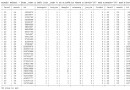
def print_result_table(cursor, max_col_width=30):
    """將游標結果集美化打印為對齊表格"""
    if cursor.rowcount == 0:
        print("(空結果集)")
        return

    # 列名與寬度計算
    columns = [desc[0] for desc in cursor.description]
    col_widths = [min(len(str(c)), max_col_width) for c in columns]

    # 更新寬度基於數據
    rows = cursor.fetchall()
    for row in rows:
        for i, val in enumerate(row):
            display = '' if val is None else str(val)
            if len(display) > max_col_width:
                display = display[:max_col_width-3] + '...'
            col_widths[i] = max(col_widths[i], len(display))

    # 打印表頭
    header = ' | '.join(c.ljust(w) for c, w in zip(columns, col_widths))
    separator = '-+-'.join('-' * w for w in col_widths)
    print(header)
    print(separator)

    # 打印數據行
    for row in rows:
        line = ' | '.join(('' if v is None else str(v)).ljust(w) for v, w in zip(row, col_widths))
        print(line)

print(f"\n共 {len(rows)} 行")import MySQLdb
from DBUtils.PooledDB import PooledDB
from contextlib import contextmanager
import logging
class MySQLPool:
def __init__(self, **kwargs):
self.pool = PooledDB(
creator=MySQLdb,
maxconnections=kwargs.get('maxconn', 20),
mincached=kwargs.get('mincached', 5),
blocking=True,
cursorclass=MySQLdb.cursors.DictCursor,
**{k: v for k, v in kwargs.items() if k not in ['maxconn', 'mincached']}
)
self.logger = logging.getLogger(__name__)
@contextmanager
def connection(self):
conn = self.pool.connection()
try:
yield conn
except Exception as e:
conn.rollback()
self.logger.error(f"DB error: {e}")
raise
finally:
conn.close()
@contextmanager
def transaction(self):
with self.connection() as conn:
try:
yield conn
conn.commit()
except:
conn.rollback()
raise
def execute(self, sql, params=None, fetch='all'):
with self.connection() as conn:
cur = conn.cursor()
cur.execute(sql, params or ())
if fetch == 'all':
return cur.fetchall()
elif fetch == 'one':
return cur.fetchone()
elif fetch == 'many':
return cur.fetchmany(params[0] if params else 10)
else:
return cur.rowcount
def executemany(self, sql, params_list):
with self.transaction() as conn:
cur = conn.cursor()
return cur.executemany(sql, params_list)
# 使用示例
db = MySQLPool(host='localhost', user='app', passwd='pass', db='myapp', charset='utf8mb4')
users = db.execute("SELECT id, name FROM users WHERE status=%s", (1,), fetch='all')
print_result_table(db.pool.connection().cursor()) # 需調整獲取游標方式| 異常 | 原因 | 處理 |
|---|---|---|
| OperationalError: (2006, 'MySQL server has gone away') | 連接超時/斷開/數據包過大 | 連接池 ping 重連、增大 max_allowed_packet、檢查 wait_timeout |
| IntegrityError: (1062, "Duplicate entry 'x' for key 'uk'") | 唯一鍵衝突 | 捕獲處理、或用 INSERT ... ON DUPLICATE KEY UPDATE |
| ProgrammingError: (1064, "You have an error in your SQL syntax") | SQL 語法錯誤 | 打印 SQL 與參數排查、檢查保留字轉義 |
| InternalError: (1213, "Deadlock found when trying to get lock") | 死鎖 | 捕獲重試 (指數退避)、固定訪問順序、縮短事務 |
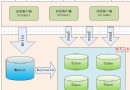
Python 操作 MySQL 核心棧:**mysqlclient 驅動 + DBUtils 連接池 + 參數化查詢 + 手動事務 + 上下文管理器 + 異常重試**。封裝 MySQLPool 類統一管理連接生命週期、事務邊界、錯誤處理,業務代碼僅關注 SQL 與參數,實現關注點分離與工程化複用。