已知 root 密碼遺失,需在無密碼情況下進入資料庫重設。
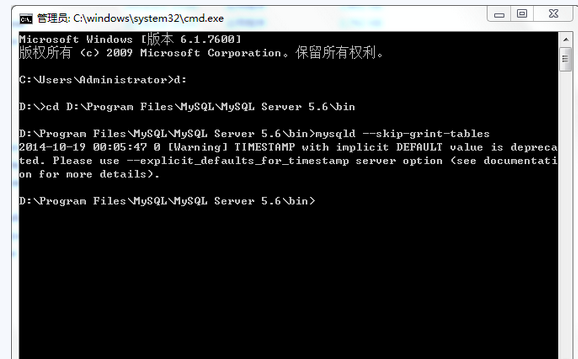
killall -TERM mysqldbin/mysqld_safe --skip-grant-tables &mysql -u root
USE mysql;
UPDATE user SET Password=PASSWORD('new_pass') WHERE User='root';
FLUSH PRIVILEGES;
QUIT;killall -TERM mysqld && bin/mysqld_safe &mysqld-nt --skip-grant-tablesmysql -u root → 執行相同 UPDATE/FLUSH。--skip-grant-tables 期間任何人可無密碼登入且擁有完整權限,務必在內網隔離環境、最短時間內完成。user 表無匿名帳號、root 僅允許 localhost/127.0.0.1。Password 欄位改名為 authentication_string,語法相應調整:UPDATE user SET authentication_string=PASSWORD('new_pass') WHERE User='root';