Microsoft ActiveX Data Objects 2.6 Library) — 同 ASP 經典模型Microsoft Excel 9.0 Object Library — 讀取 .xls 工作表Option Explicit
Dim Cn As New ADODB.Connection ' Access/Excel 連接
Dim CnMySQL As New ADODB.Connection ' MySQL 連接
Dim Rs As New ADODB.Recordset ' 源數據游標
Dim RsMySQL As New ADODB.Recordset ' 目標游標 (少用,多用 Command 執行 INSERT)Function replace_str(srcstr As String)
srcstr = Replace(srcstr, "\", "\\") ' 反斜杠轉義
replace_str = Replace(srcstr, "'", "\'") ' 單引號轉義
End Function**注意**:VB6/ADO 參數化查詢 (Command.Parameters) 更安全,文中為教學演示用字符串拼接。
Private Sub Form_Load()
    prgBar1.Visible = False
    ' DSN=build,UID=root,PWD=空 (文中示例)
    CnMySQL.ConnectionString = "uid=root;pwd=;dsn=build"
    CnMySQL.Open
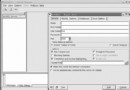
End Sub| 控件 | 名稱 | 類型 | 用途 |
|---|---|---|---|
| 1 | mdbfilename | TextBox | Access 文件路徑 |
| 2 | mdbpassword | TextBox | Access 數據庫密碼 |
| 3 | xlsfilename | TextBox | Excel 文件路徑 |
| 4 | select_mdbfile | CommandButton | 選擇 .mdb 文件 |
| 5 | importMDB | CommandButton | 執行 Access 導入 |
| 6 | CommonDialog1 | CommonDialog | 文件選擇對話框 |
| 7 | select_xlsfile | CommandButton | 選擇 .xls 文件 |
| 8 | importXLS | CommandButton | 執行 Excel 導入 |
| 9 | CommonDialog2 | CommonDialog | 文件選擇對話框 |
| 10 | prgBar1 | ProgressBar | 導入進度顯示 |
| 11 | StatusBar1 | StatusBar (Style=1-sbrSimple) | 狀態文本:導入中/完成 |
| 層面 | VB6 方案 | 現代替代 (.NET Core / Python / Node.js / Go) |
|---|---|---|
| 語言 | VB6 (COM、32位、無 GC) | C# / VB.NET / Python 3.11+ / Go 1.22+ |
| 數據訪問 | ADO (OLEDB/ODBC) | Entity Framework Core / Dapper / SQLAlchemy / GORM |
| Excel 讀取 | Excel COM Interop (需裝 Office、極慢、不穩) | EPPlus/ClosedXML (C#)、openpyxl/pandas (Python)、exceljs (Node) — **無需 Office** |
| MySQL 驅動 | MyODBC 3.51 | MySqlConnector (C#)、mysqlclient/PyMySQL (Python)、go-sql-driver/mysql (Go) |
| 並行導入 | 單線程、UI 凍結 | Task/ThreadPool/asyncio/goroutine + 批次提交 (1000-5000 行/批) |
| 進度反饋 | ProgressBar/StatusBar | SignalR/WebSocket/控制台進度條/TQDM |
| 部署 | 安裝包、DLL 地獄 | Docker 容器 / 單文件發布 / Serverless Function |
# Python 概念代碼
def migrate_access_to_mysql(mdb_path, mysql_dsn, table_map):
    # 1. 連接源 (pyodbc + Access ODBC)
    src = pyodbc.connect(f"DRIVER={{Microsoft Access Driver (*.mdb, *.accdb)}};DBQ={mdb_path};")
    # 2. 連接目標 (MySqlConnector)
    tgt = mysql.connector.connect(**mysql_dsn)
    # 3. 逐表遷移
    for src_tbl, tgt_tbl, col_map in table_map:
        cols = ', '.join(col_map.keys())
        placeholders = ', '.join(['%s'] * len(col_map))
        sql = f"INSERT INTO `{tgt_tbl}` ({cols}) VALUES ({placeholders})"
        # 4. 批次讀取 + 批次寫入
        batch = []
        for row in src.cursor().execute(f"SELECT {cols} FROM `{src_tbl}`"):
            batch.append(tuple(row[col] for col in col_map.keys()))
            if len(batch) >= 5000:
                tgt.cursor().executemany(sql, batch)
                tgt.commit()
                batch.clear()
        if batch:
            tgt.cursor().executemany(sql, batch)
            tgt.commit()
src.close(); tgt.close()文中 VB6+ADO 方案在 2003 年是「桌面自動化遷移」的主流選擇,但**今天已屬技術考古**。現代遷移工具鏈:**無 COM 依賴、無 Office 安裝、批次參數化、並行流式、容器化部署、可觀測進度**。若維護舊系統必須用 VB6,請嚴格隔離運行環境 (XP/Win7 虛擬機、網絡隔離);新專案**直接上現代棧**,開發效率提升 10x+,穩定性質變。