| 操作 | MySQL | MySQL_ODBC | MS-SQL_ODBC | Oracle_ODBC |
|---|---|---|---|---|
| 索引讀 200 萬行 | 367s | 464s | 1,634s | 20,800s |
| 插入 35 萬行 | 381s | 619s | 4,012s | 11,291s |
MySQL 原生 C API 效能碾壓同平台商業資料庫。
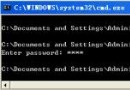
mysql-shareware-3.22.32-win.zip,執行 Setupmy-example.cnf 至 C:\my.cnf,依提示調整C:\mysql\bin\mysqld-shareware --standaloneC:\mysql\bin\mysql mysqlDELETE FROM user WHERE Host='localhost' AND User='';mysqladmin reloadmysqladmin -u root password 'your_pass'my.cnf [client] 區段預存帳密#include
#include
#include
int main() {
MYSQL *conn = mysql_init(NULL);
if (!mysql_real_connect(conn, NULL, "root", "your_pass", "test", MYSQL_PORT, NULL, 0)) {
fprintf(stderr, "Connect failed: %s\n", mysql_error(conn));
return 1;
}
// 建表
if (mysql_query(conn, "CREATE TABLE mytable (time DATETIME, s1 CHAR(6), s2 CHAR(11), s3 INT, s4 INT)")) {
fprintf(stderr, "Create failed: %s\n", mysql_error(conn));
mysql_close(conn); return 1;
}
// 插入
mysql_query(conn, "INSERT INTO mytable VALUES ('2000-3-10 21:01:30','Test','MySQLTest',2000,3)");
// 查詢
mysql_query(conn, "SELECT * FROM mytable");
MYSQL_RES *res = mysql_store_result(conn);
int rows = mysql_num_rows(res);
printf("Query: SELECT * FROM mytable\n%ld records found:\n", rows);
MYSQL_FIELD *fd;
char *fld_names[25];
int i=0;
while ((fd = mysql_fetch_field(res))) fld_names[i++] = fd->name;
MYSQL_ROW row;
while ((row = mysql_fetch_row(res))) {
for (int k=0; k | 函數 | 用途 |
|---|---|
mysql_init() | 初始化 MYSQL 結構 |
mysql_real_connect() | 建立連線 |
mysql_query() | 執行 SQL |
mysql_store_result() | 取得結果集 |
mysql_fetch_row() | 逐行取資料 |
mysql_free_result() | 釋放結果集 |
mysql_close() | 關閉連線 |
c:\mysql\includec:\mysql\lib\libmysql.liblibmysql.dll 複製至 C:\WINNT\SYSTEM32結語: Windows NT + MySQL + C API = 低成本、高效能、易維護的黃金組合。