生產庫報 Too many open files、Can't open file (errno: 24),或長時間運行後連接數受限、性能抖動。
# 1. 確認 mysqld 進程 PID
ps -ef | grep mysqld

# 2. 統計進程打開的文件描述符數
lsof -p  | wc -l
# 輸出 38728(遠超默認 1024)

# 3. 系統級文件句柄使用情況
cat /proc/sys/fs/file-nr
# 40290  0  741811
# 已分配  已釋放  系統最大值

# 4. 當前用戶/進程軟限制
ulimit -a
# open files (-n) 1024 ← 瓶頸在這裡 /proc/sys/fs/file-max(內核參數 fs.file-max)。/etc/security/limits.conf、ulimit -n。open_files_limit(mysqld 啟動時自動向系統申請,受上層限制)。# /etc/sysctl.conf
fs.file-max = 1000000
# 生效
sysctl -p# /etc/security/limits.conf
mysql soft nofile 65535
mysql hard nofile 65535
root soft nofile 65535
root hard nofile 65535
# 確保 pam_limits.so 生效
# /etc/pam.d/login /etc/pam.d/sshd /etc/pam.d/su 含
session required pam_limits.so# /usr/lib/systemd/system/mysqld.service 或 override
[Service]
LimitNOFILE=65535
LimitNPROC=65535
# 重載並重啟
systemctl daemon-reload
systemctl restart mysqld# /etc/my.cnf [mysqld]
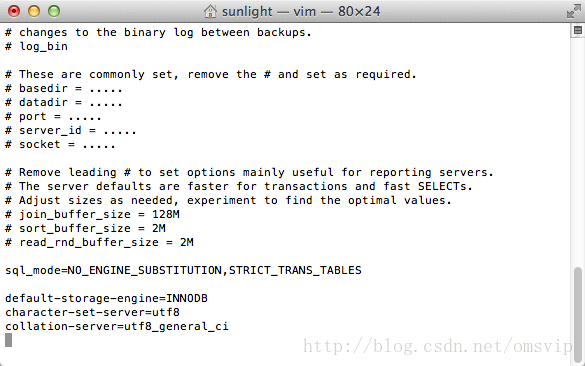
open_files_limit = 65535
table_open_cache = 4000 # 5.6+ 替代 table_cache,建議 ≈ open_files_limit / 2注意:mysqld 啟動時會嘗試 setrlimit(RLIMIT_NOFILE, open_files_limit),若受 systemd/limits.conf 限制無法提升,錯誤日志會記錄 Could not increase number of max_open_files to more than ...。
# 重啟後
mysql> SHOW VARIABLES LIKE 'open_files_limit';
+------------------+-------+
| Variable_name    | Value |
+------------------+-------+
| open_files_limit | 65535 |
+------------------+-------+

mysql> SHOW GLOBAL STATUS LIKE 'Open_files';
+---------------+-------+
| Variable_name | Value |
+---------------+-------+
| Open_files    | 1234  |  -- 當前打開數,應遠低於限制
+---------------+-------+| 參數 | 建議值 | 說明 |
|---|---|---|
table_open_cache | 4000-8000 | 表緩存,減少 .frm/.ibd 重複打開,受 open_files_limit 制約 |
table_definition_cache | 2000-4000 | 表定義緩存,大量表時防止打開 .frm 過多 |
max_connections | 500-2000 | 每連接消耗 2-3 個文件描述符(表、日志、網絡 socket) |
innodb_open_files | 3000-6000 | InnoDB 獨立表空間 .ibd 文件緩存(file_per_table=ON 時) |
文件句柄耗盡是高併發、大量表、長運行 MySQL 的常見隱性瓶頸。**系統→用戶→systemd→MySQL 四層同步放開**,配合 table_open_cache、innodb_open_files 協同調優,才能徹底解決「Too many open files」。