# 格式
mysqladmin -u USER -p password NEW_PASSWORD

# 示例:將 root 密碼改為 123456
mysqladmin -u root -p password 123456
# 提示輸入舊密碼,驗證通過即生效
適用場景:已知舊密碼、命令行環境、無需登入 MySQL Shell。
mysql -u root -p
UPDATE mysql.user SET authentication_string=PASSWORD('123456') WHERE User='root';
FLUSH PRIVILEGES;
authentication_string;5.6 及之前為 Password。FLUSH PRIVILEGES 刷新內存權限表。mysql -u root -p
SET PASSWORD FOR 'root'@'localhost' = PASSWORD('123456');
-- 或當前用戶
SET PASSWORD = PASSWORD('123456');
優點:語法標準、不依賴具體表結構、自動刷新權限。
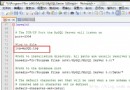
my.ini/my.cnf,[mysqld] 下添加 skip-grant-tables。mysql -u root。UPDATE mysql.user SET authentication_string=PASSWORD('NewPwd123!') WHERE User='root';
FLUSH PRIVILEGES;
EXIT;
skip-grant-tables,重啟服務恢復正常認證。舊版 MySQLSystemTrayMonitor.exe → 托盤圖標 → Configure Instance → Startup Variables → Security → 勾選「Disable Grant Tables」 → Apply → Restart Service → 進入無密碼模式修改密碼。
現代建議直接用 MySQL Workbench「Server → Users and Privileges」圖形界面修改,直觀且自動生成規範 SQL。
validate_password 強制執行。root 遠程登入。log_statement=all 或安裝 MariaDB Audit Plugin 記錄密碼變更操作。