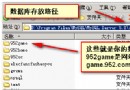
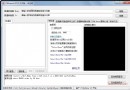
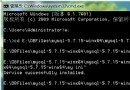
通過 --skip-grant-tables 參數啟動 mysqld,mysqld 不加載權限表,允許無密碼任意連接並修改 mysql.user 表。操作完成後必須移除參數並重啟恢復正常認證。
net stop mysql 或服務管理器bin 目錄mysqld --skip-grant-tables --console
mysql -u root
authentication_string):USE mysql;
-- 5.7/8.0
UPDATE user SET authentication_string=PASSWORD('NewPass123!') WHERE User='root';
-- 5.6 及以下
UPDATE user SET Password=PASSWORD('NewPass123!') WHERE User='root';
FLUSH PRIVILEGES;
EXIT;
mysql -u root -p# 1. 確保安全狀態:關閉對外端口、停止應用
# 2. 編輯配置
vim /etc/my.cnf
# [mysqld] 區段添加
skip-grant-tables
# 3. 重啟服務
systemctl restart mysqld
# 4. 無密碼登錄修改
mysql -u root
UPDATE mysql.user SET authentication_string=PASSWORD('NewPass123!') WHERE User='root';
FLUSH PRIVILEGES;
EXIT;
# 5. 移除配置並重啟
sed -i '/skip-grant-tables/d' /etc/my.cnf
systemctl restart mysqld
systemctl stop mysqld
mysqld_safe --skip-grant-tables &
mysql -u root
# 同樣執行 UPDATE ... FLUSH PRIVILEGES
# 結束後
pkill mysqld
systemctl start mysqld
password 列已移除,統一使用 authentication_stringcaching_sha2_password,若客戶端不支持需指定:ALTER USER 'root'@'localhost' IDENTIFIED WITH mysql_native_password BY 'NewPass123!';FLUSH PRIVILEGES 在 8.0 中隱式提交事務,無需額外 COMMITmysql_secure_installation:移除匿名用戶、禁止遠程 root、刪除 test 庫RENAME USER 'root'@'localhost' TO 'admin'@'localhost';validate_password.policy=STRONG、validate_password.length=12| 現象 | 原因 | 解決 |
|---|---|---|
| UPDATE 影響 0 行 | Host 不匹配(如 'root'@'%' vs 'root'@'localhost') | SELECT User, Host FROM mysql.user; 精確匹配 |
| 修改後仍無法登錄 | 未執行 FLUSH PRIVILEGES 或未重啟服務 | 必須執行 FLUSH PRIVILEGES 並移除 skip-grant-tables 重啟 |
| Windows 彈窗閃退 | mysqld --console 未加,日志輸出無處查看 | 加 --console 參數或查看錯誤日志 .err 文件 |