sudo apt-get update
sudo apt-get install mysql-server mysql-client libmysqlclient-dev
安裝過程會提示設定 root 密碼,請妥善保存。
# 檢查端口監聽
sudo netstat -tap | grep mysql
# 輸出含 LISTEN 狀態即成功

# 登入測試
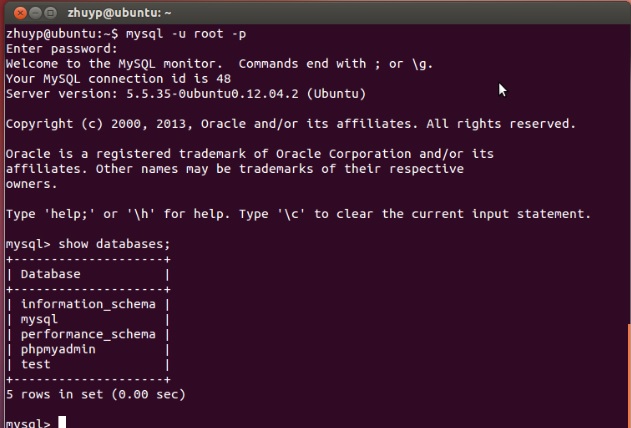
mysql -u root -p
mysql> SHOW DATABASES;
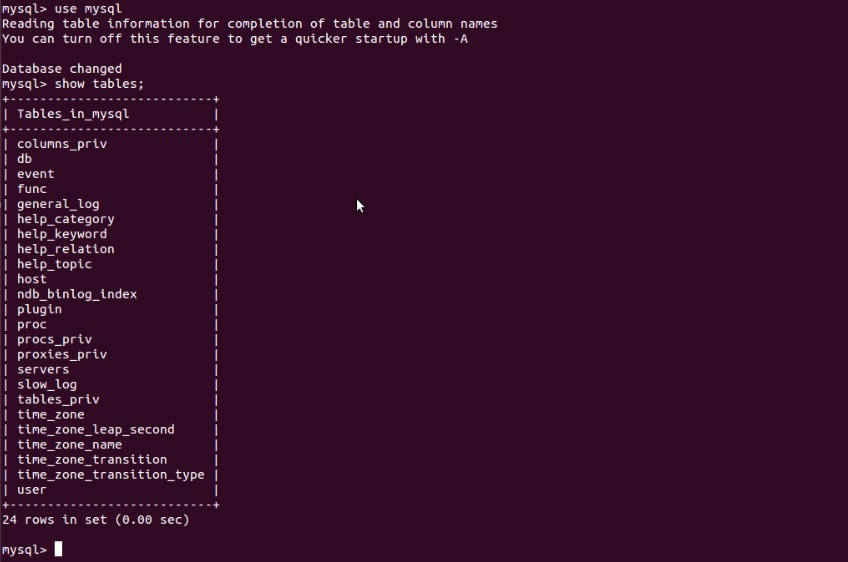
USE mysql;
SHOW TABLES;
#include#include #include int main() { MYSQL *conn = mysql_init(NULL); MYSQL_RES *res; MYSQL_ROW row; char *server = "localhost"; char *user = "root"; char *password = "your_password"; char *database = "mysql"; if (!mysql_real_connect(conn, server, user, password, database, 0, NULL, 0)) { fprintf(stderr, "%s\n", mysql_error(conn)); exit(1); } if (mysql_query(conn, "SHOW TABLES")) { fprintf(stderr, "%s\n", mysql_error(conn)); exit(1); } res = mysql_use_result(conn); printf("MySQL Tables in mysql database:\n"); while ((row = mysql_fetch_row(res)) != NULL) { printf("%s\n", row[0]); } mysql_free_result(res); mysql_close(conn); printf("finish!\n"); return 0; }
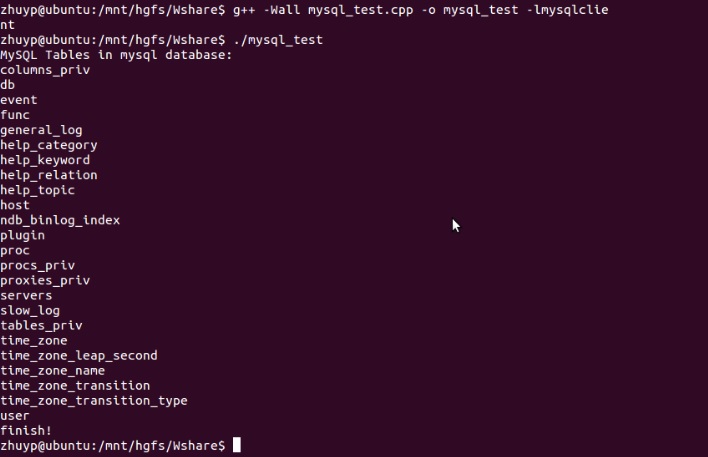
g++ -Wall mysql_test.cpp -o mysql_test -lmysqlclient
./mysql_test
mysql.h:確認已裝 libmysqlclient-devbind-address、防火牆、密碼正確性SET NAMES utf8mb4