在 DB2 中建立資料庫時,若需支援中文環境,可透過指定 codeset 與 territory 參數來實現。以下指令將建立一個名為 head 的資料庫,並設定為中文簡體環境(IBM-eucCN,CN):
create database head using codeset IBM-eucCN territory CN;此設定確保資料庫能正確儲存與顯示中文字元,避免亂碼問題。
若需從本地客戶端連接遠端 DB2 伺服器,須先編目通訊節點與資料庫別名。步驟如下:
head 映射為本地別名 test1。db2 catalog tcpip node node1 remote 172.28.200.200 server 50000
db2 catalog db head as test1 at node node1完成後,即可使用以下指令連線:
db2 connect to test1 user <username> using <password>db2start:啟動實例db2stop 或 db2stop force:停止實例(force 參數可強制中斷現有連線)連接資料庫:
db2 connect to head user db2inst1 using db2inst1查看當前連線資訊:
db2 connectdb2 activate db head:主動啟用資料庫,減少首次連線等待時間db2 deactivate db head:停用資料庫注意事項:
deactivate db 不會生效activate db 啟用的資料庫,必須用 deactivate db 停用(db2stop 亦可)activate db 啟用,而是靠連線自動啟動,則所有連線斷開後資料庫會自動停止查看應用程式清單:
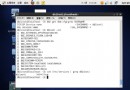
db2 list applications show detail輸出欄位包含授權標識、應用程式名稱、句柄、應用程式 ID(首段為 16 進制 IP)、狀態、資料庫名稱、節點號、PID/執行緒等。
強制中斷指定應用程式:
db2 "force application(236)"強制中斷所有應用程式:
db2 "force application all"其中 236 為 list applications 中顯示的應用程式句柄。