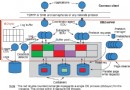
DB2 9(開發代號 Viper)是 IBM 首個同時支援關聯式(SQL)與階層式(XML)資料結構的資料庫。其 pureXML 技術將 XML 以原生階層格式儲存於專屬 XML 資料類型欄位,免去「剖析→關聯表映射→重組」的昂貴轉換,實現 XML 的高效存儲、索引與查詢。
XML 欄位僅能建立於 UTF-8 編碼的 Unicode 資料庫中。以下指令建立測試庫:
create database test using codeset UTF-8 territory us建庫完成後,DB2 即可原生儲存 XML,無需額外配置。接著建立同時包含關聯欄位與 XML 欄位的表:
connect to test;

create table items (
  id int primary key not null,
  brandname varchar(30),
  itemname varchar(30),
  sku int,
  srp decimal(7,2),
  comments XML
);

create table clients (
  id int primary key not null,
  name varchar(50),
  status varchar(10),
  contactinfo XML
);關鍵特性:XML 欄位無需預先定義結構(Schema),單一欄位可存放不同 Schema 或無 Schema 的 well-formed XML 文件,極大簡化異構資料整合。
視圖建立語法與傳統表無異:
create view goldview as
select id, name, contactinfo
from clients where status='Gold';
註:生產環境務必為 XML 欄位建立專用索引以確保查詢效能,本文略過索引主題。
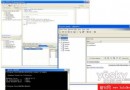
適合少量測試資料。使用 DB2 Command Editor(Control Center → Tools → Command Editor)執行:
connect to test;

insert into clients values (77, 'John Smith', 'Gold',
  XMLparse(document '111 Main St., Dallas, TX, 00112' preserve whitespace)
);
必須呼叫 XMLPARSE 將字串轉為 XML 型別。大量或複雜 XML 建議改用應用程式參數化插入。
準備兩類檔案:
範例 clients.del:
77,"John Smith","Gold","對應的 client3227.xml:
<contactinfo>
  <address>111 Main St., Dallas, TX 00112</address>
  <phone>555-1234</phone>
  <email>ella@example.com</email>
</contactinfo>
執行匯入:
import from clients.del of del xml from C:/XMLFILES
insert into user1.clients;
若某列無 XML 資料,該行 XDS 留空即可(XML 欄位存入 NULL)。
DB2 預設僅檢查 well-formed,不驗證 Schema。啟用驗證需三步驟:
可使用文字編輯器手寫,或用 IBM WebSphere Studio 等工具從範例 XML 產生再調整。例如為 contactinfo 設計彈性 Schema,允許 0~5 個 email、電話等元素:
<xs:element name="email" type="xs:string" minOccurs="0" maxOccurs="5"/>若 Schema 較大,先調大應用程式堆疊:
connect to test;
update db cfg using applheapsz 10000;
單一檔案 Schema 註冊指令:
register xmlschema 'https://mysample.org'
  from 'C:/XMLFiles/ClientInfo.xsd'
as user1.mysample complete;重點:Schema 註冊與特定資料表/欄位無關,一個 Schema 可驗證多張表的 XML 欄位;驗證動作需在 INSERT/IMPORT 時顯式指定。
使用 XMLVALIDATE 子句:
import from clients.del of del xml from C:/XMLFILES
XMLvalidate using xds default user1.mysample
insert into user1.clients;
若 XML 不符合 Schema,整列資料會被拒絕(IMPORT 輸出會顯示拒絕筆數)。INSERT 同理可加 XMLVALIDATE 子句。
本文完整示範了:建立 Unicode 資料庫 → 建立含 XML 欄位表/視圖 → 兩種方式載入 XML → Schema 開發/註冊/驗證的閉環流程。後續可深入:
掌握 pureXML,讓 DB2 成為企業關聯與半結構化資料融合的核心樞紐。