彙整 DB2 在 Linux 作業系統下最常用的命令列處理器 (CLP) 指令,按功能分類整理,適合 DBA 日常運維快速查閱。
db2start                    # 啟動實例
db2stop                     # 停止實例 (正常)
db2stop force               # 強制停止
db2 connect to <db> user <usr> using <pwd>  # 連接資料庫
db2 connect reset           # 斷開連接
db2 terminate               # 終止後台進程
# 實例層級 (DBM CFG)
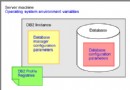
db2 get dbm cfg                          # 顯示所有
db2 get dbm cfg | grep LOGFILSIZ         # 查特定參數
db2 update dbm cfg using <param> <value>  # 修改 (部分需重啟實例)

# 資料庫層級 (DB CFG)
db2 connect to <db>
db2 get db cfg for <db>
db2 update db cfg for <db> using <param> <value>
db2 list applications                    # 列出所有連線
db2 list applications for db <db> show detail  # 詳細資訊
db2 force application all                # 強制斷開所有連線
db2 force application (<id1>, <id2>...)  # 斷開指定連線
# 離線備份
db2 force application all
db2 backup db <db> to <path>

# 線上備份 (需啟用歸檔日誌)
db2 backup db <db> online to <path> [include logs]

# 恢復
db2 restore db <db> from <path> taken at <timestamp> [into <newdb>]

# 前滾恢復
db2 rollforward db <db> to end of logs and complete [overflow log path (<path>)]
db2 reorg table <table>                          # 重組表
db2 runstats on table <table> with distribution and indexes all  # 更新統計
db2 reorgchk update statistics on table all     # 檢查並更新
# Export
db2 export to <file>.del of del select * from <table>
db2 export to <file>.ixf of ixf select * from <table>

# Import (多種模式)
db2 import from <file>.del of del insert into <table>
db2 import from <file>.ixf of ixf insert_update into <table>
db2 import from <file>.ixf of ixf replace_create into <table>  # 僅 IXF

# Load (高速,不啟發 Trigger/RI 檢查)
db2 load from <file>.ixf of ixf insert into <table>
db2 load from <file>.ixf of ixf replace into <table>
db2 -tf <batch_file>              # 執行批次檔 (每行以 ; 結尾)

# 自動產生 RUNSTATS 腳本
echo "select 'runstats on table ' || tabschema || '.' || tabname || ' with distribution and detailed indexes all;' from syscat.tables where tabschema='DB2' and type='T';" > temp.sql
db2 -tf temp.sql > runstats.sql

# 自動產生 DDL (db2look)
db2look -d <db> -u <user> -e -p -c -o <output_file>
db2 grant dbadm on database to user <user>
db2 list tables                           # 當前用戶表
db2 list tables for system                # 系統表
db2 describe select * from <table>       # 檢視結構
db2 "select * from <table> fetch first 1 rows only"  # 快速取樣
# 查看資料庫大小
db2 "select substr(db_name,1,20), db_size from table(sysproc.db_size())"

# 查看表空間使用率
db2 "select tbsp_name, tbsp_total_pages, tbsp_usable_pages from table(mon_get_tablespace('',-2))"

# 查看鎖等待
db2 "select * from table(mon_get_locks(-2)) where lock_status='WAIT'"