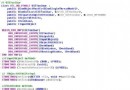
Path::GetTempPath()Path::GetTempFileName()(自動建立 0 位元組檔案)FileInfo::Attributes = FileAttributes::TemporaryFile::Delete(fileName)
using namespace System::Security;
using namespace System::IO;

String^ tempFolder;
try {
    tempFolder = Path::GetTempPath(); // 可能拋 SecurityException
} catch (SecurityException^) { /* 處理權限不足 */ }
catch (Exception^) { /* 其他錯誤 */ }

String^ fileName;
try {
    fileName = Path::GetTempFileName();          // 1. 建立唯一檔案
    FileInfo^ fi = gcnew FileInfo(fileName);
    fi->Attributes = FileAttributes::Temporary;  // 2. 標記 Temporary,Runtime 盡量留在快取

    // 3. 正常讀寫
    StreamWriter^ sw = File::AppendText(fileName);
    sw->WriteLine("Test data");
    sw->Close();

    StreamReader^ sr = File::OpenText(fileName);
    String^ content = sr->ReadToEnd();
    sr->Close();

} finally {
    if (File::Exists(fileName)) File::Delete(fileName); // 4. 確實刪除
}
GetTempPath 必須包在 try/catch,因受限使用者可能無權存取 %TEMP%。GetTempFileName 會實際建立檔案,回傳完整路徑;檔名格式 tmpXXXX.tmp。FileAttributes::Temporary 提示檔案系統盡量保持在記憶體,減少磁碟 I/O。finally 區塊確保異常時也能刪除,避免暫存檔殘留。.NET 4.6+ 提供 Path::GetRandomFileName()(不建立檔案,僅產生加密強度隨機名),搭配 Path::Combine(Path::GetTempPath(), name) 可避免競爭條件。