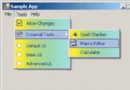
大多數 C++Builder 開發者一輩子不會接觸 ToolsAPI,但若你想擴充 IDE 功能(如自動本地化選單、加入自訂專案範本、整合外部工具),掌握 ToolsAPI 是關鍵。本文展示一個 BPL 套件專案,示範如何:
vcl50.bpi(或對應版本)、toolsapi.hpp、inifiles.hppRegister() 函數(BPL 載入時自動呼叫)_di_INTAServices IDE;
HRESULT hr = BorlandIDEServices->QueryInterface(__uuidof(INTAServices), (void**)&IDE);
if (SUCCEEDED(HR)) {
#define AppBuilder IDE->MainMenu->Owner // TApplication
TMainMenu* MainMenu = dynamic_cast(AppBuilder->Components[i]); // 尋找主選單
} void __fastcall EnumerateMenuItem(TMenuItem* Item) {
DoMenuItem(Item); // 處理單一項目
for (int i = 0; i < Item->Count; ++i)
EnumerateMenuItem(Item->Items[i]); // 遞迴子項目
}
void __fastcall DoMenuItem(TMenuItem* Item) {
if (!Item->Visible) Item->Visible = true; // 強制顯示隱藏項
if (NeedWriteToIni && !Item->Name.IsEmpty()) {
Ini->WriteString(Section, Item->Name, Item->Caption);
}
}void __fastcall LocalizeAppMenu() {
_di_INTAServices IDE;
if (SUCCEEDED(BorlandIDEServices->QueryInterface(__uuidof(INTAServices), (void**)&IDE))) {
#define AppBuilder IDE->MainMenu->Owner
TStringList *Sections = new TStringList, *Idents = new TStringList;
try {
ChsIni->ReadSections(Sections);
for (int s = 0; s < Sections->Count; ++s) {
ChsIni->ReadSection(Sections->Strings[s], Idents);
for (int i = 0; i < Idents->Count; ++i) {
AnsiString Val = ChsIni->ReadString(Sections->Strings[s], Idents->Strings[i], "NULL");
if (Val != "NULL") {
TMenuItem* MI = dynamic_cast(AppBuilder->FindComponent(Idents->Strings[i]));
if (MI) MI->Caption = Val;
}
}
}
} __finally { delete Idents; delete Sections; }
#undef AppBuilder
}
} void __fastcall PACKAGE Register() {
Ini = new TIniFile(ChangeFileExt(Application->ExeName, ".INI"));
ChsIni = new TIniFile(ChangeFileExt(Application->ExeName, "CHS.INI"));
if (NeedLocalize) LocalizeAppMenu();
_di_INTAServices IDE;
if (SUCCEEDED(BorlandIDEServices->QueryInterface(__uuidof(INTAServices), (void**)&IDE))) {
#define AppBuilder IDE->MainMenu->Owner
for (int i = 0; i < AppBuilder->ComponentCount; ++i) {
if (AppBuilder->Components[i]->ClassNameIs("TMainMenu")) {
#define AppMainMenu dynamic_cast(AppBuilder->Components[i])
for (int x = 0; x < AppMainMenu->Items->Count; ++x) {
if (NeedWriteToIni) Section = AppMainMenu->Items->Items[x]->Name;
EnumerateMenuItem(AppMainMenu->Items->Items[x]);
}
#undef AppMainMenu
}
}
#undef AppBuilder
} else {
ShowMessage("無法存取 IDE 服務,請卸載此模組。");
}
delete Ini; delete ChsIni;
} Nodebug.bpl。$(BCB)\Bin 目錄。Component → Install Packages → Add 選擇該 BPL。CHS.INI)。