市面上的 VCD 播放軟體(如「超級解霸」)通常提供「播放 VCD」按鈕,點擊即可自動播放光碟影片。若檔案路徑固定,直接使用多媒體控件即可;但不同電腦的硬碟分區數量不同,光碟機代號(D:、E:、F:...)各異。如何自動偵測光碟機代號並播放 VCD?
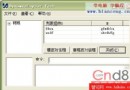
使用 regedit.exe 檢視 Windows 98 註冊表:
HKEY_LOCAL_MACHINE\ENUM\SCSI → DeviceType = "5"HKEY_LOCAL_MACHINE\ENUM\ESDI → DeviceType = "0"HKEY_LOCAL_MACHINE\ENUM\FLOP → DeviceType = "0A"關鍵發現:DeviceType 參數區分不同裝置類型,光碟機固定為 5。
Win32 API 提供 GetDriveType 函式,傳回磁碟機類型:
UINT GetDriveType(LPCTSTR lpRootPathName);
// 回傳值:
// DRIVE_UNKNOWN     = 0
// DRIVE_NO_ROOT_DIR = 1
// DRIVE_REMOVABLE   = 2  (軟碟、USB)
// DRIVE_FIXED       = 3  (硬碟)
// DRIVE_REMOTE      = 4  (網路磁碟)
// DRIVE_CDROM       = 5  (光碟機) ← 我們要找的
// DRIVE_RAMDISK     = 6
使用窮舉法依序檢查 D: 到 H:,找到 DeviceType = 5 的即為光碟機。
' VB6 程式碼
Dim driveCD As String

If GetDriveType("D:") <> 5 Then
    If GetDriveType("E:") <> 5 Then
        If GetDriveType("F:") <> 5 Then
            If GetDriveType("G:") <> 5 Then
                driveCD = "H"
                GoTo GetCDFiles
            End If
            driveCD = "G"
            GoTo GetCDFiles
        End If
        driveCD = "F"
        GoTo GetCDFiles
    End If
    driveCD = "E"
    GoTo GetCDFiles
Else
    driveCD = "D"
End If

GetCDFiles:
' 取得 VCD 檔案路徑
' 所有 VCD 影片路徑固定為 \MPEGAV\*.DAT
MMControl1.FileName = driveCD & ":\MPEGAV\" & Dir(driveCD & ":\MPEGAV\*.DAT")
' 宣告 API
Private Declare Function GetDriveType Lib "kernel32" Alias "GetDriveTypeA" (ByVal nDrive As String) As Long

Dim files() As String   ' 儲存 VCD 檔案清單
Dim driveCD As String   ' 光碟機代號
Dim i As Integer        ' 檔案計數
Dim j As Integer        ' 目前播放索引
Dim s As String         ' 暫存檔名

Private Sub Form_Load()
    ' === 1. 偵測光碟機代號 ===
    If GetDriveType("D:") <> 5 Then
        If GetDriveType("E:") <> 5 Then
            If GetDriveType("F:") <> 5 Then
                If GetDriveType("G:") <> 5 Then
                    driveCD = "H"
                    GoTo GetCDFiles
                End If
                driveCD = "G"
                GoTo GetCDFiles
            End If
            driveCD = "F"
            GoTo GetCDFiles
        End If
        driveCD = "E"
        GoTo GetCDFiles
    Else
        driveCD = "D"
    End If

    ' === 2. 掃描 VCD 檔案 ===
GetCDFiles:
    On Error GoTo CDErr
    s = Dir(driveCD & ":\MPEGAV\*.DAT")
    i = 1
    While s <> ""
        ReDim Preserve files(i) As String
        files(i) = s
        i = i + 1
        s = Dir()
    Wend

    If i = 1 Then
        MsgBox "光碟中無 VCD 檔案!"
        Unload Me
        Exit Sub
    End If

    j = 1
    Call VCDPlay
    On Error GoTo 0
    Exit Sub

CDErr:
    MsgBox "CD 未就緒或無法讀取!"
    Unload Me
End Sub

' === 3. 播放控制 ===
Private Sub MMControl1_StatusUpdate()
    ' 當前播放位置等於長度表示播放結束
    If MMControl1.Position = MMControl1.Length Then
        j = j + 1
        If j > i - 1 Then j = 1  ' 循環播放
        Call VCDPlay
    End If
End Sub

Private Sub VCDPlay()
    MMControl1.Command = "Stop"
    MMControl1.Command = "Close"
    MMControl1.FileName = driveCD & ":\MPEGAV\" & files(j)
    MMControl1.Command = "Open"
    MMControl1.Command = "Play"
End Sub
| 命令 | 功能 |
|---|---|
| Stop | 停止目前播放 |
| Close | 關閉目前檔案,釋放資源 |
| Open | 開啟指定檔案 |
| Play | 開始播放 |
必須按順序執行:Stop → Close → 設定 FileName → Open → Play
Dir(path) 傳回第一個符合的檔名Dir()(無參數)傳回下一個檔名ReDim Preserve 動態擴展陣列保留現有資料MMControl1_StatusUpdate 事件在播放狀態改變時觸發。判斷 Position = Length 表示播放結束,自動切換到下一個檔案。
Function GetCDDriveLetter() As String
    Dim drives As String
    drives = "DEFGHIJKLMNOPQRSTUVWXYZ"
    Dim k As Integer
    For k = 1 To Len(drives)
        If GetDriveType(Mid(drives, k, 1) & ":") = 5 Then
            GetCDDriveLetter = Mid(drives, k, 1)
            Exit Function
        End If
    Next k
    GetCDDriveLetter = ""
End Function
' 增加播放清單類別
Class VCDPlaylist
    Public Files As Collection
    Public CurrentIndex As Long

    Public Sub LoadFromDrive(driveLetter As String)
        Set Files = New Collection
        Dim f As String
        f = Dir(driveLetter & ":\MPEGAV\*.DAT")
        Do While f <> ""
            Files.Add f
            f = Dir()
        Loop
        CurrentIndex = 1
    End Sub

    Public Function GetNext() As String
        If Files.Count = 0 Then Exit Function
        CurrentIndex = CurrentIndex + 1
        If CurrentIndex > Files.Count Then CurrentIndex = 1
        GetNext = Files(CurrentIndex)
    End Function
End Class
GetDriveType 行為一致透過 GetDriveType API 識別光碟機、Dir() 掃描 VCD 檔案、MMControl 控制播放流程,即可實現 VB6 自動播放 VCD 功能。此技術展示了早期多媒體應用開發的核心邏輯,對理解現代媒體播放器架構亦有參考價值。