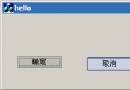
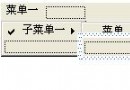
經典的 `CStaticLink` 類別(源自 MSJ 1997)讓靜態文字化身可點擊的超連結,支援滑鼠手型游標、訪問/未訪問顏色、自動載入 URL 資源。但預設靜態控制項無 `WS_TABSTOP` 樣式,無法以鍵盤 Tab 焦點移動、Enter 鍵啟動。本文示範如何擴充 `CStaticLink` 加入鍵盤無障礙支援:Tab 停駐、焦點矩形、Enter/Space 鍵觸發、游標切換,完整符合 Windows 使用者介面準則。
在對話方塊編輯器中,選取靜態控制項 → **Properties → Styles → Tab stop = True**。或在資源腳本 `.rc` 手動加入 `WS_TABSTOP`:
CONTROL "", IDC_STATIC_LINK, "Static", SS_NOTIFY | WS_TABSTOP | WS_GROUP, 10, 10, 200, 20
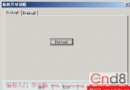
覆寫 `OnSetFocus` / `OnKillFocus`,使用 `DrawFocusRect`(XOR 模式,再呼叫一次即消除):
void CStaticLink::OnSetFocus(CWnd* pOldWnd)
{
    CStatic::OnSetFocus(pOldWnd);
    DrawFocusRect(TRUE);
}

void CStaticLink::OnKillFocus(CWnd* pNewWnd)
{
    CStatic::OnKillFocus(pNewWnd);
    DrawFocusRect(FALSE); // 實際上同一函數,XOR 會自動切換
}

void CStaticLink::DrawFocusRect(BOOL bSet)
{
    CWnd* pParent = GetParent();
    if (!pParent) return;

    CRect rc;
    GetWindowRect(&rc);
    pParent->ScreenToClient(&rc);

    // 文字模式用文字範圍,圖片模式用整個視窗
    DWORD dwStyle = GetStyle();
    if (!(dwStyle & (SS_BITMAP | SS_ICON | SS_ENHMETAFILE | SS_OWNERDRAW)))
    {
        CClientDC dc(this);
        CString str; GetWindowText(str);
        CFont* pOldFont = dc.SelectObject(GetFont());
        dc.DrawText(str, &rc, DT_CALCRECT | DT_SINGLELINE);
        dc.SelectObject(pOldFont);
    }

    CWindowDC dcParent(pParent);
    dcParent.DrawFocusRect(&rc); // XOR 光柵操作
}
靜態控制項預設不處理 `WM_KEYDOWN`,需子類化並覆寫 `PreTranslateMessage` 或加入訊息映射:
BEGIN_MESSAGE_MAP(CStaticLink, CStatic)
    ON_WM_SETFOCUS()
    ON_WM_KILLFOCUS()
    ON_WM_KEYDOWN()
END_MESSAGE_MAP()

void CStaticLink::OnKeyDown(UINT nChar, UINT nRepCnt, UINT nFlags)
{
    if (nChar == VK_RETURN || nChar == VK_SPACE)
    {
        // 模擬滑鼠左鍵點擊邏輯
        OnLButtonDown(MK_LBUTTON, CPoint(0,0));
        OnLButtonUp(MK_LBUTTON, CPoint(0,0));
        return;
    }
    CStatic::OnKeyDown(nChar, nRepCnt, nFlags);
}
為讓螢幕閱讀器識別為「連結」,可實作 `IAccessible` 介面並回傳 `ROLE_SYSTEM_LINK`。MFC 7.0+ 可透過 `EnableActiveAccessibility()` 並覆寫 `GetAccessibleRole`/`GetAccessibleName`/`GetAccessibleDefaultAction`/`DoDefaultAction`。
class CStaticLink : public CStatic
{
    DECLARE_DYNAMIC(CStaticLink)
public:
    CStaticLink();
    virtual ~CStaticLink();

    // 核心功能
    void SetURL(LPCTSTR url);
    CString GetURL() const;
    void SetVisited(BOOL bVisited = TRUE);
    BOOL IsVisited() const;

    // 視覺
    void SetLinkCursor(HCURSOR hCursor);
    void SetColors(COLORREF clrUnvisited, COLORREF clrVisited, COLORREF clrHover);
    void SetUnderline(BOOL bUnderline = TRUE);

protected:
    CString m_strURL;
    BOOL    m_bVisited = FALSE;
    HCURSOR m_hHandCursor = NULL;
    COLORREF m_clrUnvisited, m_clrVisited, m_clrHover;
    BOOL     m_bUnderline = TRUE;
    BOOL     m_bFocused = FALSE;

    // 訊息處理
    afx_msg void OnSetFocus(CWnd*);
    afx_msg void OnKillFocus(CWnd*);
    afx_msg void OnKeyDown(UINT, UINT, UINT);
    afx_msg void OnLButtonDown(UINT, CPoint);
    afx_msg void OnLButtonUp(UINT, CPoint);
    afx_msg void OnMouseMove(UINT, CPoint);
    afx_msg HBRUSH OnCtlColor(CDC*, CWnd*, UINT);
    afx_msg BOOL OnSetCursor(CWnd*, UINT, UINT);
    afx_msg void OnPaint();

    DECLARE_MESSAGE_MAP()
};
void CMyDialog::OnInitDialog()
{
    CDialog::OnInitDialog();
    m_linkSubclass.SubclassDlgItem(IDC_STATIC_LINK, this);
    m_linkSubclass.SetURL(_T("https://www.example.com"));
    m_linkSubclass.SetLinkCursor(AfxGetApp()->LoadStandardCursor(IDC_HAND));
    m_linkSubclass.SetColors(RGB(0,0,255), RGB(128,0,128), RGB(255,0,0));
}
只需三步:加入 WS_TABSTOP → 繪製焦點矩形 → 處理 Enter/Space 鍵,即可讓 `CStaticLink` 具備完整鍵盤無障礙能力。這不僅符合 WCAG 2.1 標準,也讓習慣鍵盤操作的使用者(或滑鼠故障時)能順暢存取連結。建議將此擴充整合至專案共用控制項庫,所有超連結靜態文字自動受益。