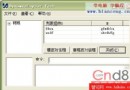
Windows 登錄為多層樹狀結構,包含六個根鍵 (如 HKEY_LOCAL_MACHINE)。鍵值儲存系統配置、硬體資訊、應用程式設定等。本文示範在 VC++ 6.0/5.0 中查詢與修改 HKEY_LOCAL_MACHINE\Software\Microsoft\Windows\CurrentVersion 下的 RegisteredOwner (用戶名) 與 RegisteredOrganization (公司名)。
HKEY hKey;
LPCTSTR subKey = _T("Software\\Microsoft\\Windows\\CurrentVersion");

// 開啟鍵值 (唯讀)
LONG ret = ::RegOpenKeyEx(HKEY_LOCAL_MACHINE, subKey, 0, KEY_READ, &hKey);
if (ret != ERROR_SUCCESS) { AfxMessageBox(_T("無法開啟登錄鍵")); return; }

// 查詢 RegisteredOwner
BYTE buffer[256];
DWORD type = REG_SZ, size = 256;
ret = ::RegQueryValueEx(hKey, _T("RegisteredOwner"), NULL, &type, buffer, &size);
if (ret != ERROR_SUCCESS) { AfxMessageBox(_T("查詢用戶名失敗")); }
CString strOwner = (LPCTSTR)buffer;

// 查詢 RegisteredOrganization
ret = ::RegQueryValueEx(hKey, _T("RegisteredOrganization"), NULL, &type, buffer, &size);
if (ret != ERROR_SUCCESS) { AfxMessageBox(_T("查詢公司名失敗")); }
CString strCompany = (LPCTSTR)buffer;

::RegCloseKey(hKey); // 必須關閉鍵值句柄// 取得用戶輸入的新字串 strOwner, strCompany
// 轉換為 LPBYTE 輔助函數
LPBYTE CStringToLPBYTE(const CString& str) {
LPBYTE lpb = new BYTE[str.GetLength() + 1];
for (int i = 0; i < str.GetLength(); ++i) lpb[i] = (BYTE)str.GetAt(i);
lpb[str.GetLength()] = 0;
return lpb;
}
// 開啟鍵值 (寫入模式)
LONG ret = ::RegOpenKeyEx(HKEY_LOCAL_MACHINE, subKey, 0, KEY_WRITE, &hKey);
if (ret != ERROR_SUCCESS) { AfxMessageBox(_T("無法開啟鍵值進行寫入")); return; }
// 寫入 RegisteredOwner
LPBYTE pData = CStringToLPBYTE(strOwner);
ret = ::RegSetValueEx(hKey, _T("RegisteredOwner"), 0, REG_SZ, pData, strOwner.GetLength() + 1);
delete[] pData;
if (ret != ERROR_SUCCESS) { AfxMessageBox(_T("修改用戶名失敗")); }
// 寫入 RegisteredOrganization
pData = CStringToLPBYTE(strCompany);
ret = ::RegSetValueEx(hKey, _T("RegisteredOrganization"), 0, REG_SZ, pData, strCompany.GetLength() + 1);
delete[] pData;
if (ret != ERROR_SUCCESS) { AfxMessageBox(_T("修改公司名失敗")); }
::RegCloseKey(hKey);\\ 或單正斜線 /。RegOpenKeyEx 最後一個參數為輸出句柄,用完必須 RegCloseKey。REG_SZ,長度含結束符 \\0。HKEY_LOCAL_MACHINE 需系統管理員權限 (Vista 後 UAC 影響)。