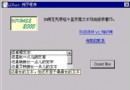
專業軟體常在啟動時顯示 About 視窗或閃屏畫面,需求:
解決方案:建立無模式對話框 作為 About 視窗,配合 OnIdle 計時與 PreTranslateMessage 攔截輸入訊息。
CSplashCDialog,名稱 CSplash。IDD_ABOUTBOX。CSplash 標頭檔 (Splash.h)class CSplash : public CDialog
{
public:
CSplash(CWnd* pParent = NULL);
BOOL Create(CWnd* pParentWnd); // 公開建立函式
// 對話框資料
enum { IDD = IDD_ABOUTBOX }; // 使用專案預設 About Box 範本
// ClassWizard 產生的虛擬函式覆寫
virtual BOOL OnInitDialog();
DECLARE_MESSAGE_MAP()
};CSplash (Splash.cpp)BOOL CSplash::OnInitDialog()
{
CDialog::OnInitDialog();
CenterWindow(); // 置中顯示
return TRUE;
}
BOOL CSplash::Create(CWnd* pParentWnd)
{
if (!CDialog::Create(IDD, pParentWnd))
{
TRACE0("Warning: creation of CSplash dialog failed!\n");
return FALSE;
}
return TRUE;
}class CLd144App : public CWinApp
{
private:
CSplash m_splash; // 閃屏視窗物件
DWORD m_dwSplashTime; // 記錄啟動時間
public:
CLd144App();
// ... 其餘虛擬函式 ...
};InitInstance (Ld144.cpp)BOOL CLd144App::InitInstance()
{
// 1. 盡早建立並顯示閃屏視窗
if (m_splash.Create(m_pMainWnd))
{
m_splash.ShowWindow(SW_SHOW);
m_splash.UpdateWindow();
}
m_dwSplashTime = ::GetCurrentTime(); // 記錄開始時間
AfxEnableControlContainer();
// ... 標準文檔/視圖初始化 ...
// 2. 主視窗建立完成後,將閃屏視窗置頂
pMainFrame->ShowWindow(m_nCmdShow);
pMainFrame->UpdateWindow();
m_splash.BringWindowToTop();
return TRUE;
}OnIdle 定時自動關閉 (5 秒)BOOL CLd144App::OnIdle(LONG lCount)
{
BOOL bResult = CWinApp::OnIdle(lCount);
if (m_splash.m_hWnd != NULL)
{
if (::GetCurrentTime() - m_dwSplashTime > 5000) // 5000 ms = 5 秒
{
m_splash.DestroyWindow();
m_pMainWnd->UpdateWindow();
}
else
{
bResult = TRUE; // 還在顯示期間,保持 Idle 循環
}
}
return bResult;
}PreTranslateMessage 攔截使用者輸入關閉BOOL CLd144App::PreTranslateMessage(MSG* pMsg)
{
BOOL bResult = CWinApp::PreTranslateMessage(pMsg);
if (m_splash.m_hWnd != NULL &&
(pMsg->message == WM_KEYDOWN ||
pMsg->message == WM_SYSKEYDOWN ||
pMsg->message == WM_LBUTTONDOWN ||
pMsg->message == WM_RBUTTONDOWN ||
pMsg->message == WM_MBUTTONDOWN ||
pMsg->message == WM_NCLBUTTONDOWN ||
pMsg->message == WM_NCRBUTTONDOWN ||
pMsg->message == WM_NCMBUTTONDOWN))
{
m_splash.DestroyWindow();
m_pMainWnd->UpdateWindow();
}
return bResult;
}InitInstance 建立無模式對話框 → ShowWindow 顯示 → 記錄時間。BringWindowToTop 確保閃屏在最上層。OnIdle → 每次空閒檢查是否超過 5 秒 → 是則銷毀視窗。PreTranslateMessage 攔截 → 立即銷毀視窗。| 技術 | 用途 |
|---|---|
無模式對話框 (Create) | 不阻塞主執行緒,允許背景初始化並行。 |
OnIdle 計時 | 利用 MFC 空閒處理機制實現非阻塞定時器。 |
PreTranslateMessage | 全域攔截輸入訊息,實現點擊/按鍵即關閉。 |
BringWindowToTop | 確保閃屏視窗不被主視窗遮蓋。 |
此模式不僅適用於 About 視窗,亦是實作啟動閃屏的標準做法。無模式對話框配合應用程式層級的訊息攔截與空閒計時,能優雅滿足「自動關閉」與「使用者互動關閉」雙重需求。