狀態條是 MFC 框架視窗底部常見的資訊列,預設顯示鍵盤鎖定狀態(Scroll Lock、Num Lock)與選單提示。雖然 AppWizard 可輕鬆建立基本狀態條,但若能靈活運用,還能實現滾動歡迎訊息、即時滑鼠座標、動態時鐘等進階功能。本文將以實作範例逐步說明如何自訂狀態條位置、擴充面板並驅動動態內容。
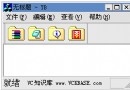
使用 AppWizard 產生名為 mystatus 的單一檔案 (SDI) 專案,接受預設設定,僅在 Step 1 選擇 Single Document,Step 4 取消 Docking Bar 勾選,並點選 Advanced 按鈕啟用 Maximized 視窗樣式。執行專案可見預設狀態條位於視窗底部。
在 MainFrm.cpp 的 OnCreate 中修改狀態條建立參數,加入 CBRS_TOP 樣式:
if (!m_wndStatusBar.Create(this, WS_CHILD | WS_VISIBLE | CBRS_TOP, AFX_IDW_STATUS_BAR) ||
    !m_wndStatusBar.SetIndicators(indicators, sizeof(indicators)/sizeof(UINT)))
{
    TRACE0("Failed to create status bar");
    return -1;
}
重新執行,狀態條即移至工具列上方。
在 MainFrm.cpp 中擴充 indicators 陣列,新增三個自訂 ID:
static UINT indicators[] =
{
    ID_SEPARATOR,
    ID_STATUS1,
    ID_STATUS2,
    ID_STATUS3,
    ID_INDICATOR_CAPS,
    ID_INDICATOR_NUM,
    ID_INDICATOR_SCRL,
};
接著在 Resource Symbols 中新增 ID_STATUS1、ID_STATUS2、ID_STATUS3,並在 String Table 為其設定初始字串(如 "me")。
在 MainFrm.h 宣告 CString str, str1;,並在 OnCreate 中設定面板資訊與啟動計時器:
m_wndStatusBar.SetPaneInfo(1, ID_STATUS1, SBPS_POPOUT, 320);
m_wndStatusBar.SetPaneInfo(2, ID_STATUS2, SBPS_POPOUT, 100);
m_wndStatusBar.SetPaneInfo(3, ID_STATUS3, SBPS_POPOUT, 100);
str1 = str = _T("你好,歡迎使用本程序,祝你合家幸福,事業有成!");
SetTimer(1, 200, NULL); // 滾動文字計時器
SetTimer(2, 10, NULL);  // 時鐘計時器
覆寫 CMainFrame::OnTimer:
void CMainFrame::OnTimer(UINT nIDEvent)
{
    if (nIDEvent == 1) // 滾動文字
    {
        if (str.IsEmpty()) str = str1;
        str = str.Right(str.GetLength() - 2);
        m_wndStatusBar.SetPaneText(1, str);
    }
    if (nIDEvent == 2) // 動態時鐘
    {
        SYSTEMTIME t;
        ::GetLocalTime(&t);
        CString str2;
        str2.Format(_T("%02d:%02d:%02d:%03d"), t.wHour, t.wMinute, t.wSecond, t.wMilliseconds);
        m_wndStatusBar.SetPaneText(3, str2);
    }
    CFrameWnd::OnTimer(nIDEvent);
}
將 MainFrm.h 中 m_wndStatusBar 的存取層級改為 public。在 View 類別 (CMystatusView) 中覆寫 OnMouseMove:
void CMystatusView::OnMouseMove(UINT nFlags, CPoint point)
{
    CString str3;
    str3.Format(_T("X:%d, Y:%d"), point.x, point.y);
    ((CMainFrame*)AfxGetMainWnd())->m_wndStatusBar.SetPaneText(2, str3);
    CView::OnMouseMove(nFlags, point);
}
編譯執行後,狀態條將顯示:
1. 左側滾動歡迎訊息
2. 中央即時滑鼠座標
3. 右側毫秒級動態時鐘
4. 原有鍵盤鎖定狀態指示
透過簡單的計時器機制與面板文字更新,即可大幅提升應用程式的資訊回饋豐富度。