利用檔案描述符複製,將標準輸出(fd=1)重導向到指定檔案。
#include <stdio.h>
#include <fcntl.h>
#include <unistd.h>

void coutToFile(char *fileName)
{
    int fd = open(fileName, O_WRONLY | O_CREAT, 0644);
    chmod(fileName, S_IRWXU | S_IRWXG | S_IRWXO);
    close(1);       // 關閉 stdout
    dup(fd);        // 將 fd 複製到 1(stdout)
}

int main(int argc, char** argv)
{
    coutToFile("./tmp.log");
    cout << "這行會寫入 tmp.log,不會顯示在終端機" << endl;
    return 0;
}
原理: dup(fd) 會將 fd 複製到最小可用的檔案描述符,因為剛關閉 1,所以新 fd 會是 1,達到重導向效果。
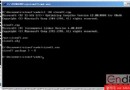
Windows GUI 子系統預設無主控台,使用 AllocConsole 建立一個獨立視窗接收標準輸出。
BOOL CTestApp::InitInstance()
{
    AfxEnableControlContainer();
    // ... 原有初始化碼 ...

    #ifdef _DEBUG
    if (!AllocConsole())
        AfxMessageBox(_T("Failed to create the console!"), MB_ICONEXCLAMATION);
    #endif

    pMainFrame->ShowWindow(SW_SHOWMAXIMIZED);
    pMainFrame->UpdateWindow();
    return TRUE;
}

int CTestApp::ExitInstance()
{
    #ifdef _DEBUG
    if (!FreeConsole())
        AfxMessageBox(_T("Could not free the console!"));
    #endif
    return CWinApp::ExitInstance();
}
#ifdef _DEBUG 包裹,Release 版不會產生 Console。AllocConsole / FreeConsole 必須成對出現,否則會洩漏主控台資源。cout、printf、TRACE 都會自動導向該視窗。dup 方式會永久切斷螢幕輸出,若需同時輸出檔案與螢幕,需用 tee 或自訂 streambuf。若需更靈活的控制(如同時寫檔與顯示、格式化、等級過濾),建議採用成熟的日誌庫(log4cplus、spdlog、Pantheios),支援多目標輸出、非同步寫入、滾動檔案等企業級功能。