 Python GUI 實作:看圖猜成語遊戲開發(第一部分)
前言 本系列將使用 ttkbootstrap 開發一款「看圖猜成語」桌面遊戲。第一部分先透過爬蟲取得成語圖片素材,再建立遊戲首頁:標題動畫、暱稱輸入驗證、「開始
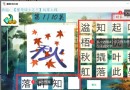 Python GUI 實作:看圖猜成語遊戲開發(第三部分)
前言 系列最終回,我們將完成「闖關模式」的所有核心功能:自訂關卡數、16 個漢字選項(4 個正確字 + 12 個干擾字)、點擊選字組合答案、通關計時與結果提示。
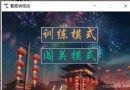 Python GUI 實作:看圖猜成語遊戲開發(第二部分)
前言 承接上一篇,我們將繼續完成「看圖猜成語」遊戲的核心功能。本文重點實作「遊戲模式選擇頁」與「訓練模式頁」,使用 ttkbootstrap 建立現代化介面,並
 Python GUI Project: Figure Guessing Idiom Game (Complete Version)
Python GUI Case: Guessing Idioms by Looking at Pictures (Conclusion) Applet Dev
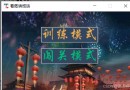 Python GUI 專案:看圖猜成語開發 (第二篇) - 模式選擇與訓練模式
前言 實現四大功能:首頁動畫與昵稱驗證、模式選擇、訓練模式 (輸入作答+正確率)、闖關模式 (自訂關卡、16選項拼字、計時)。 模式選擇頁面 簡單兩個標籤綁定
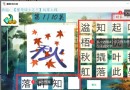 Python GUI 專案:看圖猜成語開發 (第三篇) - 闖關模式實作
前言 本系列實現四大功能:首頁動畫與昵稱驗證、模式選擇、訓練模式 (輸入作答+正確率)、闖關模式 (自訂關卡、16選項拼字、計時)。 闖關模式核心實作 1.
Python GUI 專案:看圖猜成語完整版 (ttkbootstrap)
專案簡介 使用 ttkbootstrap 開發「看圖猜成語」桌面小遊戲,包含首頁、模式選擇、訓練模式、闖關模式,支援昵稱輸入、計分、計時、關卡自訂、干擾字生成等
Sublime Text Configure Python Build System
Create new build system (Tools → Build System → New Build System): { cmd: [D
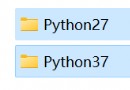 Python 2 and Python 3 Coexistence Installation Guide (Windows)
Accidentally installed Python 2 (64-bit) and Python 3 (32-bit), causing programs
Django Migrate Reset Guide
When Django migration history is lost or database out of sync, reset migrate rec
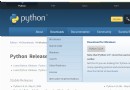 Python 3.10 Windows Installation Tutorial (2022)
1. Download Python 3.10 Go to python.org, choose Downloads → Windows. Click Dow
 Python Selenium: Fixing Empty Text (None) for Hidden Elements
When practicing Selenium on a classified site, the Load More button is usually i
 Selenium Python Web Automation: Handling no such element Errors
Table of Contents 1. Scenario 1: ActionChains Chaining Order Issue 2. Scenario
 Selenium Python Web 自動化:處理 no such element 錯誤的兩種常見情境
處理懸浮後出現的下拉選單時,常遇到兩種 no such element 錯誤。 情境一:ActionChains 鏈式調用順序導致找不到元素 百度首頁:懸浮「
 Python Selenium 獲取隱藏元素文本為空 (None) 的解決方案
練習 Selenium 時遇到「載入更多」按鈕通常不可見,element.text 總回傳空值。 無效方法 element.text 屬性 在瀏覽器 F12
 Python 3.10 Windows 安裝圖文教學 (2022 版)
一、下載 Python 3.10 瀏覽器輸入 python.org,選 Downloads → Windows。 進入 Windows 下載頁,點選 Down
Django migrate 遷移紀錄重置操作指南
Django 專案中遷移紀錄遺失或資料庫異常時,可透過重置 migrate 解決。 1. 查看目前遷移狀態 python3 manage.py showmig
Sublime Text 3 配置 Python 建置系統
建立新建置系統 (Tools → Build System → New Build System),內容如下: { cmd: [D:/python37/