PHP 4.3+ 內建 GD2。檢查是否支援:
if (!function_exists('imagecreate')) {
    die('本伺服器不支援 GD 模組');
}
若不支援:下載 php_gd2.dll、修改 php.ini 啟用 extension=php_gd2.dll、重啟 Web 伺服器。
$img = imagecreatetruecolor($width, $height);$color = imagecolorallocate($img, $r, $g, $b);imagepng($img); imagedestroy($img);| 函式 | 用途 | 關鍵參數 |
|---|---|---|
imagecreatetruecolor(w,h) | 建立真彩色畫布 | 寬、高(像素) |
imagecolorallocate(img,r,g,b) | 分配顏色 ID | RGB 0-255 或 0x00-0xFF |
imagefill(img,x,y,color) | 區域填充(連通區域) | 起始座標、顏色 ID |
imageline(img,x1,y1,x2,y2,color) | 繪製線段 | 起迄座標、顏色 |
imagestring(img,font,x,y,str,color) | 內建字體繪文字 | font=1-5,座標為左上角 |
imagettftext(img,size,angle,x,y,color,fontfile,text) | TrueType 字體繪文字 | 支援中文、旋轉、縮放 |
imagefilltoborder(img,x,y,border,color) | 邊界填充 | 遇 border 顏色停止 |
imagefilledellipse(img,cx,cy,w,h,color) | 繪製填充橢圓/圓 | 中心座標、寬高、顏色 |
imagepng(img[,filename]) | 輸出 PNG 影像 | 若無檔名則直接輸出瀏覽器 |
<?php
header('Content-Type: image/png');

$width  = 120;
$height = 40;
$img    = imagecreatetruecolor($width, $height);

// 背景與雜訊
$bg      = imagecolorallocate($img, 230, 230, 230);
$noise   = imagecolorallocate($img, 180, 180, 180);
imagefill($img, 0, 0, $bg);
for ($i=0; $i<50; $i++) {
    imagesetpixel($img, rand(0,$width), rand(0,$height), $noise);
}

// 驗證碼文字
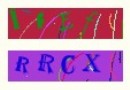
$code = substr(md5(rand()), 0, 4);
$_SESSION['captcha'] = $code;
$textColor = imagecolorallocate($img, 0, 0, 0);
$font = 'arial.ttf'; // 需實際字體檔路徑
imagettftext($img, 20, 0, 15, 30, $textColor, $font, $code);

// 輸出
imagepng($img);
imagedestroy($img);
?>
imagedestroy() 釋放資源imagettftext 需給予完整 .ttf 檔路徑imagejpeg()、imagewbmp()、imagegif()(需 GD 2.0.28+)掌握上述核心函式,即可實現圖表產生、圖片水印、驗證碼、縮圖等常見需求。