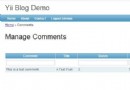
留言板內容過長時,頁面會被撐得很長,影響閱讀體驗。解決方案:預設只顯示標題,點擊標題展開/摺疊內容(非彈出視窗),類似手風琴效果。
<table>
  <!-- 第 1 則留言 -->
  <tr id="td1" class="msg-header" onclick="toggle('tdd1')" onmouseover="hoverOn('td1')" onmouseout="hoverOff('td1')" style="cursor:pointer; background:#C8E7BA">
    <td valign="middle">這裡是標題</td>
  </tr>
  <tr>
    <td id="tdd1" class="msg-content" style="display:none; background:#FFF0CE">
      這裡是內容內容內容...
      <div align="right">
        <a class="btn" href="#" onclick="toggle('tdd1'); return false;">關閉</a>
      </div>
    </td>
  </tr>

  <!-- 第 2 則留言 (td2/tdd2) ... -->
</table><script>
// 切換顯示/隱藏
function toggle(contentId) {
const el = document.getElementById(contentId);
if (!el) return;
el.style.display = (el.style.display === 'none') ? '' : 'none';
}
// 滑鼠進入標題列:變色
function hoverOn(headerId) {
const el = document.getElementById(headerId);
if (el) el.style.backgroundColor = '#FFBB66';
}
// 滑鼠離開標題列:恢復色
function hoverOff(headerId) {
const el = document.getElementById(headerId);
if (el) el.style.backgroundColor = '#C8E7BA';
}
// 頁面載入時預設隱藏所有內容
window.addEventListener('DOMContentLoaded', () => {
// 假設內容 id 為 tdd1, tdd2, tdd3...
for (let i = 1; i <= 20; i++) {
const el = document.getElementById('tdd' + i);
if (el) el.style.display = 'none';
}
});
</script>利用 <details>/<summary> 標籤(HTML5 原生支援,無需 JS):
<details class="msg-card">
  <summary class="msg-title">這裡是標題</summary>
  <div class="msg-body">
    這裡是內容內容內容...
    <button type="button" onclick="this.closest('details').removeAttribute('open')">關閉</button>
  </div>
</details>

<style>
.msg-card { border:1px solid #ddd; border-radius:4px; margin:8px 0; background:#fff; }
.msg-title { padding:10px 15px; background:#C8E7BA; cursor:pointer; font-weight:bold; list-style:none; }
.msg-title::-webkit-details-marker { display:none; } /* 隱藏預設三角箭頭 */
.msg-title::marker { content: "▶ "; font-size:0.8em; }
.msg-card[open] .msg-title::marker { content: "▼ "; }
.msg-body { padding:10px 15px; border-top:1px solid #eee; background:#FFF0CE; }
.msg-body button { float:right; margin-top:8px; padding:4px 10px; background:#eee; border:1px solid #ccc; border-radius:3px; cursor:pointer; }
</style><script src="https://code.jquery.com/jquery-3.6.0.min.js"></script>
<script>
$(function() {
$('.msg-header').click(function() {
const contentId = $(this).attr('id').replace('td', 'tdd');
$('#' + contentId).slideToggle(300);
}).hover(
function() { $(this).css('background', '#FFBB66'); },
function() { $(this).css('background', '#C8E7BA'); }
);
$('.msg-close').click(function(e) {
e.stopPropagation(); // 防止觸發 header click
$(this).closest('.msg-content').slideUp(300);
});
// 初始隱藏
$('.msg-content').hide();
});
</script>| 面向 | 建議做法 |
|---|---|
| 鍵盤操作 | 標題加 tabindex="0",支援 Enter/Space 切換 |
| 螢幕閱讀器 | 使用 aria-expanded、aria-controls 標示狀態 |
| SEO | 內容預設隱藏但存在 DOM 中,搜尋引擎可索引 |
| 列印樣式 | @media print { .msg-content { display:block !important; } } |
<details class="msg-card">
  <summary class="msg-title" aria-expanded="false">留言標題</summary>
  <div class="msg-body" role="region" aria-label="留言內容">
    留言完整內容...
    <button type="button" class="msg-close" aria-label="摺疊內容">關閉</button>
  </div>
</details>

<script>
// 同步 aria-expanded 狀態
document.querySelectorAll('details.msg-card').forEach(d => {
    d.addEventListener('toggle', () => {
        d.querySelector('summary').setAttribute('aria-expanded', d.open);
    });
});

// 關閉按鈕
document.querySelectorAll('.msg-close').forEach(btn => {
    btn.addEventListener('click', (e) => {
        e.preventDefault();
        e.stopPropagation();
        btn.closest('details').removeAttribute('open');
    });
});
</script>document.addEventListener('click', ...)。localStorage 記住使用者展開/摺疊偏好。max-height + transition 實現平滑展開(details 原生不支援動畫)。